
Build your WooCommerce store by talking to AI
Connect Claude, ChatGPT, or Cursor to your site. Describe what you need, and your agent builds pages, edits blocks, sets up layouts, and changes theme settings. Included with WoodMart at no extra cost.
Get WoodMart – $69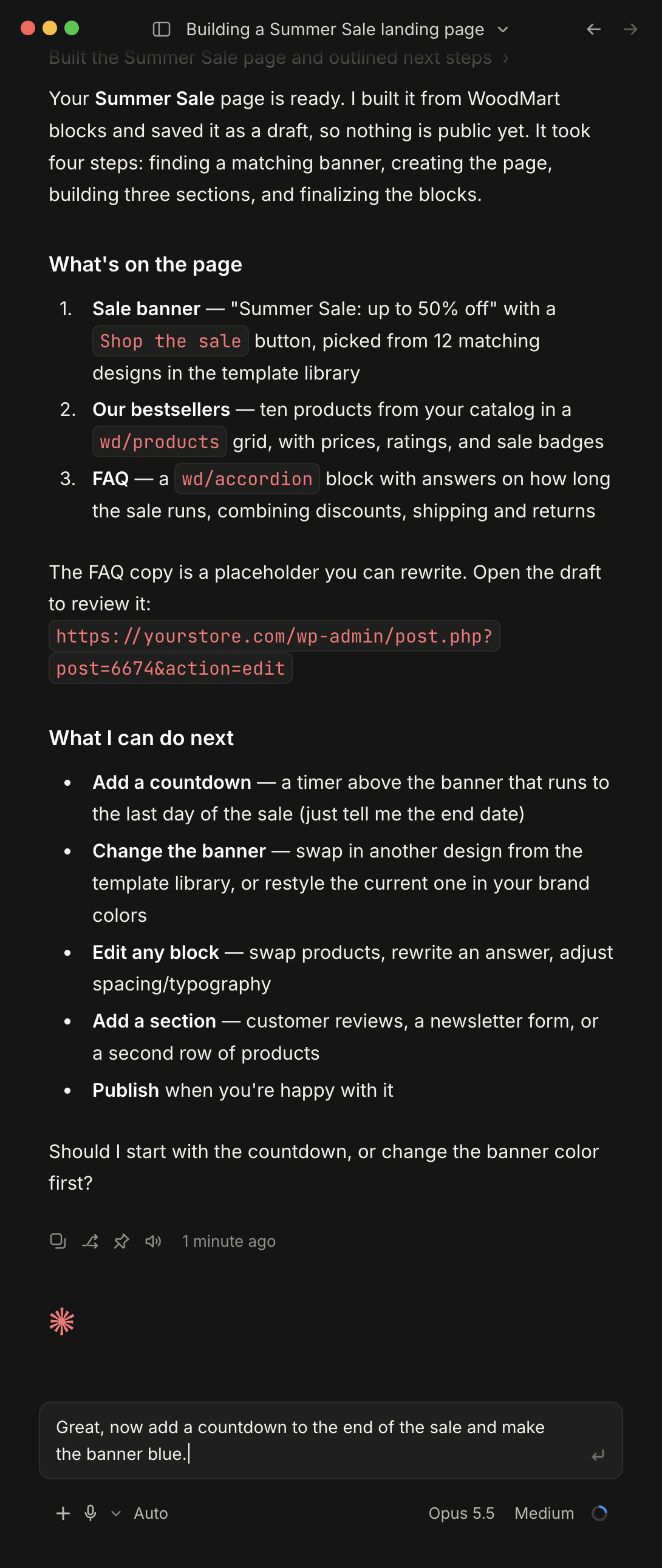
- Claude
- ChatGPT
- Cursor
-
Prompt instead of clicking
Skip the wp‑admin screens. Say what should change, and the agent does the work.
-
Native WoodMart blocks
The agent builds with real WoodMart blocks, so every result stays editable in Gutenberg.
-
Included with the theme
No separate MCP plugin to buy. WoodMart MCP comes bundled with the theme, ready to activate.
Pages, layouts, and styles in one conversation
WoodMart MCP works with pages and layouts built with WoodMart Gutenberg blocks. Pick an area to see an example request and its result.
Create and update pages without opening wp‑admin.
Your agent finds content by title, creates pages, posts, portfolio projects, and HTML blocks, and updates titles, slugs, and statuses on request.
- Pages, posts, portfolio, and HTML blocks
- New content is saved as a draft by default
- Checks for an existing page before creating one
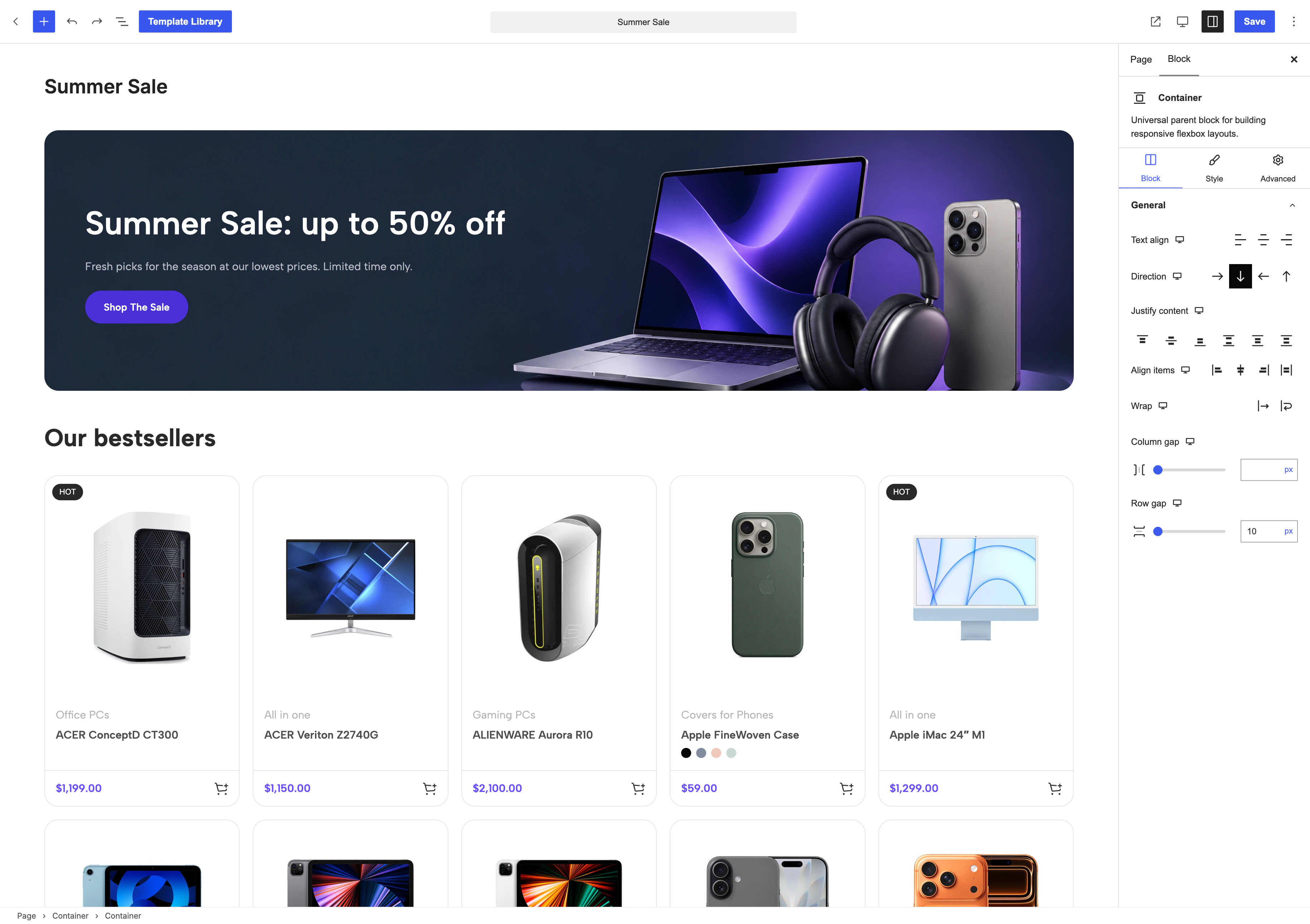
Create a “Summer Sale” landing page and a blog post that announces it.
- Check for existing pages
search-content - Create the page draft
create-content - Create the post draft
create-content
Both are saved as drafts. Preview them, and tell me when to publish.
Edit real WoodMart blocks, not pasted HTML.
The agent reads the block tree of a page, looks up how each WoodMart block works, and changes only the blocks you mention. The rest of the page stays untouched.
- 193 WoodMart blocks documented for AI
- Edits address single blocks by ID
- Conflict check before every write
On the About page, change the hero title to “Made to last” and add an FAQ accordion under it.
- Read the page blocks
gutenberg-get-content - Look up the accordion block
gutenberg-describe-block - Queue 2 block changes
gutenberg-edit-blocks
Both changes are queued. They go live as soon as the AI Block Queue finalizes them.
Start from WoodMart designs, not from a blank block.
Ask for a hero, a product grid, or an FAQ. The agent searches the WoodMart template library, picks a matching section, and adds it to your page.
- Search templates by title and tag
- Sections and full pages
- Template images are copied to your media library
Find a testimonials section in the template library and add it to the homepage, above the footer.
- Search the template library
gutenberg-search-templates - Load the matching section
gutenberg-get-template - Queue the new section
gutenberg-edit-blocks
The testimonials section is queued above the footer. Want me to replace the sample quotes with yours?
Change global styles by describing them.
The agent browses WoodMart Theme Settings, reads the current value and its format, and updates colors, typography, toggles, and header logos. These changes apply right away.
- Colors, typography, and feature toggles
- Per-device values stay intact
- Logo replacement across saved headers
Change the primary color to #0F766E and make headings semi-bold.
- Find the matching settings
list-theme-settings - Read the current values
get-theme-setting - Update color and heading weight
update-theme-setting
Updated. Both settings are saved and already apply on the storefront.
Build store templates by describing them.
Describe a product page, shop archive, cart, or checkout layout. The agent creates it as a draft, starts from a ready WoodMart template or a blank layout, and fills it with store blocks such as gallery, price, and add to cart.
- Single product, archive, cart, checkout, and more
- Start from a predefined WoodMart template
- Edit existing layouts block by block
Create a single product layout with a wide gallery, price, and add to cart.
- Pick the layout type
list-layout-types - Create the layout draft
create-layout - Queue the product blocks
gutenberg-add-pending-change
The layout is saved as a draft. Preview it, and publish it when it looks right.
Connected in three steps
Start in your dashboard under WoodMart → Tools → MCP. The setup screen prepares what your agent needs, and you finish in the agent app.
-
1Activate WoodMart MCP
Activate the bundled plugin, then enable WordPress AI tools with one click.
-
2Copy the ready config
Pick your agent and add an application password. The config is written for you: copy it and paste it into the agent.
-
3Start prompting
Open your agent and ask for what you need. It is already connected to your store.

Start with a sentence.
Copy one of ours
Example tasks you can hand to your agent, with the WoodMart abilities each one uses.
-
Landing page
Create a new draft page called ‘Spring lookbook’ with this structure: a full-width hero with a heading and one button, a three-column feature row, a product grid of eight items, a countdown ending 30 April, and a newsletter section at the bottom. Use WoodMart blocks throughout and pull ready sections from the template library wherever one fits. Show me the block structure before you queue anything, and leave the page as a draft.
create-contentgutenberg-search-templates -
Catalog update
Go through every published product and find each one whose description still says “Acme Basic”. List them for me with the exact sentence that matches, and wait. After I confirm, replace those mentions with “Acme Starter”, leave the rest of the copy untouched, and give me a product-by-product before-and-after list at the end.
woocommerce/products-querywoocommerce/product-update -
Product layout
Create a new single-product layout called ‘Product page’ from a predefined WoodMart template and keep it as a draft. Set it to apply to all products. Tell me which template you used and which others were available.
list-layout-typescreate-layoutset-layout-conditions -
Content update
On the Shipping page, change the free-shipping threshold in the text from $50 to $75.
search-contentgutenberg-edit-blocks -
New section
Add a testimonials section from the template library to the homepage, above the footer.
gutenberg-get-templategutenberg-edit-blocks -
Header
Replace the logo in every header with the image I just uploaded (attachment 4821).
replace-header-logo -
Rename
Find the ‘Delivery’ page and rename it to ‘Shipping and returns’, but keep the current URL. Show me the new title and URL when done.
search-contentupdate-content -
Cart layout
First, make sure the free shipping bar is enabled in Theme Settings. Then create a cart layout with a shipping progress bar above the cart contents. Keep it as a draft.
list-theme-settingscreate-layoutgutenberg-add-pending-change -
Brand refresh
Switch the primary color to #0F766E, use it for active buttons, and set headings to 600 weight.
list-theme-settingsupdate-theme-setting -
Orders
Mark orders 1042 and 1043 as completed and add a note to each: “Replacement shipped on Oct 8 with DHL, tracking number sent by email.”
woocommerce/order-update-statuswoocommerce/order-add-note -
Inspect
Show me the block structure of the ‘Contact us’ page before I start editing it. List each section in order with the WoodMart blocks it uses, and point out any content that isn’t inside a block.
search-contentgutenberg-get-content -
Layout audit
List all my store layouts grouped by type. For each one, show its status and the conditions it is assigned to. Flag any drafts, any layouts with no conditions, and any layout types that have no layout yet.
list-layoutslist-layout-types
Keep your WordPress connection. Add WoodMart
WoodMart MCP doesn’t replace WordPress MCP. It adds 20+ abilities through the same connection your other plugins use, so one agent can restyle pages, update products, and check SEO in one chat.
- WoodMart abilities Build pages from WoodMart blocks, set up store layouts, and change theme settings. Blocks, layouts & styles
- WooCommerce abilities Find, create, and update products. Look up orders, add notes, and change statuses. Products & orders
- SEO plugins Check SEO and readability scores for recently edited posts. SEO
- Speed plugins Optimize media and generate next-gen image formats to keep pages fast. Performance
- Email delivery Read email debug events to find delivery problems. Email
Everything you need to connect your agent
Quick answers about supported agents, requirements, safety, and what comes with WoodMart.
What is WoodMart MCP?
WoodMart MCP is a plugin bundled with the theme. It exposes WoodMart content, Gutenberg blocks, layouts, header logos, and theme settings as tools that an AI agent can call through the Model Context Protocol (MCP), an open standard for connecting AI apps to other software.
Which AI agents are supported?
The setup screen generates a ready configuration for Claude Desktop, Claude Code, Codex Desktop, Codex CLI, and Cursor. Other MCP-compatible clients can connect to the same server with the same settings.
Does it cost extra?
No. WoodMart MCP is included with the theme. You only pay for the AI agent you choose, such as a Claude, ChatGPT, or Cursor plan.
Is it safe to use on a live store?
As with any AI tool, mistakes are possible, so we recommend a staging site first. New pages, posts, and layouts are created as drafts, and block changes go through a queue before they are live. Theme settings, header logos, and title or status updates apply right away. The agent only gets the permissions of the WordPress user whose application password it uses, and you can revoke that password at any time.
Which page builder does it work with?
WoodMart MCP edits content built with WoodMart Gutenberg blocks, including layouts created in the WoodMart layout builder. It does not edit the structure of Elementor or WPBakery pages.
Can the agent manage products and orders?
WoodMart MCP itself focuses on design, content, layouts, and theme settings. Products and orders are handled by WooCommerce’s own abilities, which appear in the same connection when WooCommerce supports them on your site.
Describe the page. Let your agent build it
WoodMart MCP is included with the theme. Connect your agent
and build pages, layouts, and style changes by prompting.