7 best WooCommerce themes for furniture stores in 2026
Compare 7 WooCommerce themes for furniture and home decor stores: swatches, dimensions, 360° view, room scenes, delivery dates, prices and live demos.
 Serg Sokhatskyi
13 min read
Serg Sokhatskyi
13 min read
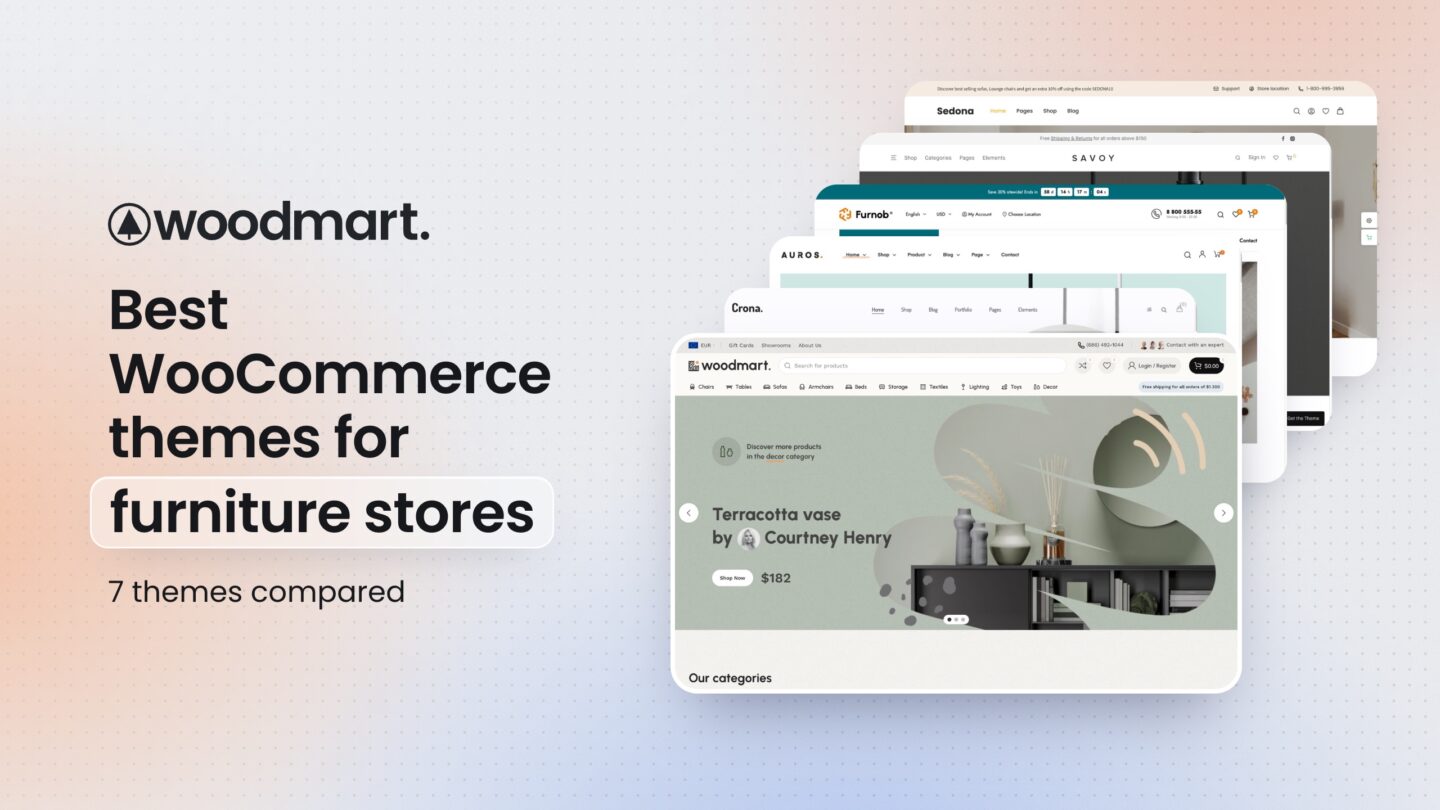
Furniture is one of the harder things to sell online. The average order is large, the product is hard to judge from a photo, and the customer usually needs to know three things before paying: will it fit, what will it look like in my room, and when will it arrive.
A WooCommerce theme cannot answer those questions by itself, but it decides how easily your store can. Finish and fabric swatches, dimension tables, large zoomable galleries, room scenes with clickable products, delivery estimates and a clean mobile layout all depend on what the theme supports out of the box and what you will have to add with plugins.
We looked at the furniture-focused and general-purpose WooCommerce themes that come up most often for furniture and home decor stores, checked their live demos, and compared them on the features that matter for this niche. Prices, sales and update dates below were taken from the themes’ own pages on October 20, 2026.
Quick comparison
| Theme | Best for | Page builder | Furniture demos | Price | Last update |
|---|---|---|---|---|---|
| WoodMart | Growing furniture and decor stores | Gutenberg, Elementor, WPBakery | Several, including a megastore | $69 | Oct 2026 |
| Crona | Furniture-only stores that want lookbooks | Elementor, WPBakery, Gutenberg | 21+ | $59 | Aug 2026 |
| Auros | Minimal interior and lighting shops | Elementor | 24+ homepages | $59 | Oct 2026 |
| Furnob | Department-style furniture retailers | Elementor | Several homepages | $47 | Oct 2026 |
| Flatsome | Store owners who want a simple builder | UX Builder | None dedicated | $59 | Sep 2026 |
| Savoy | Small premium decor collections | Elementor, WPBakery | None dedicated | $79 | Oct 2026 |
| Sedona Shop | Elementor sites on a small budget | Elementor | 2 | $69 a year | Jan 2025 |
Disclosure: WoodMart is developed by XTemos, the company publishing this guide. We put it first because we believe it covers the most of what a furniture store needs, but every theme below is a real option, and we point out where each one, WoodMart included, falls short.
What a furniture store needs from its theme
Before the list, here is what we checked. These are the features that separate a good furniture store from a generic shop with photos of sofas.
Finish, fabric and size options that are easy to pick
Most furniture is sold in variations: oak or walnut, linen or velvet, two-seater or three-seater. Standard WooCommerce shows these as dropdown menus, which is the worst way to choose a fabric. Look for image and color swatches on the product page and, ideally, on the product card in the shop grid, so customers can see the finishes before they click.
Dimensions customers can find
“Will it fit?” is the most common reason a furniture purchase stalls. The theme should make dimensions easy to show: an attributes table, a size guide or measurement drawing, or a dedicated tab. If customers have to email you for the depth of a sofa, a share of them will simply leave.
Large, zoomable product images
Customers want to see the grain of the wood and the weave of the fabric. Full-width galleries, zoom, video and a 360° view help replace the showroom visit. Room photography also needs to stay sharp on high-density screens without making the page slow.
Room scenes and shoppable images
Furniture is bought in context. A lookbook or an image with hotspots, where each item in a room photo links to its product, lets customers buy the whole look instead of one chair.
Delivery information on the product page
Large items mean longer and more expensive delivery. An estimated delivery date, a free-shipping threshold and clear return information near the add-to-cart button answer questions before they become reasons to abandon the cart.
Showroom and catalog mode
Some furniture businesses sell made-to-order pieces or want visitors to request a quote or visit a showroom. Catalog mode, which hides prices and the cart, lets the same site work as a showroom catalog.
Mobile performance
Furniture stores are image-heavy, and most visitors browse on phones. Lazy loading, responsive images and a light mobile layout matter more here than in most niches.
1. WoodMart: best for growing furniture and decor stores
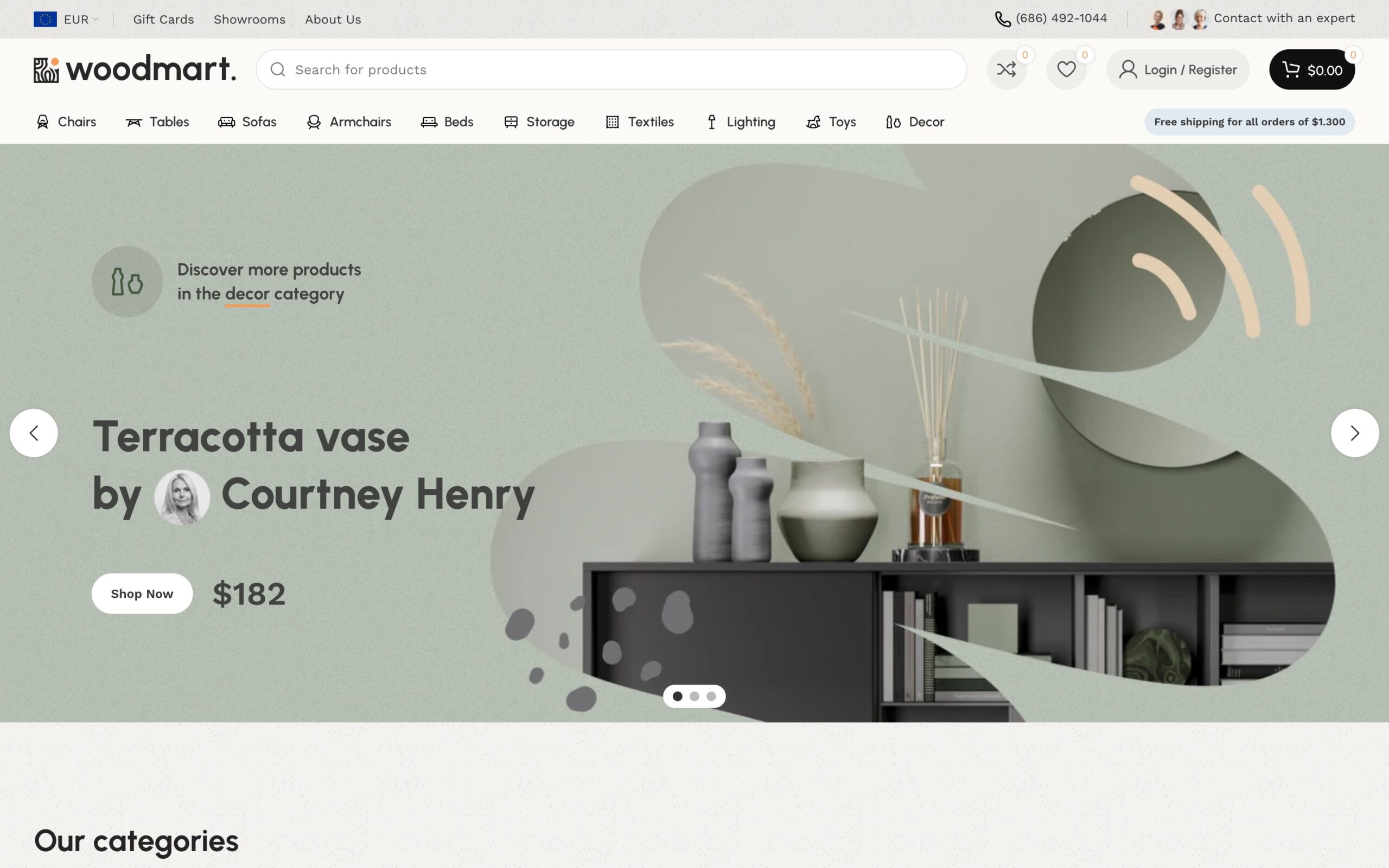
WoodMart started as a furniture theme, and furniture is still the niche with the largest set of its prebuilt websites. Beside the Furniture 2 megastore shown above, there is a classic Furniture store with room-based browsing, a minimal Decor shop for lamps and accessories, the Default furniture and interiors demo, and niche stores for plants, pottery and smart home goods. All of them import in one click and share the same theme underneath.
It is sold on ThemeForest for $69 with more than 119,000 sales, and the listing was last updated on October 6, 2026.
WoodMart is fully built for the WordPress block editor (Gutenberg). Every prebuilt website, the furniture ones included, works without Elementor, so you can run the whole store on core WordPress with fewer plugins to update. If your team already uses Elementor or WPBakery, those are supported too.
Why WoodMart works well for furniture
The features a furniture store usually adds through plugins are part of the theme:
- Variation swatches with colors or images for finishes and fabrics, shown on the product page and in the shop grid.
- Size guides: a table or drawing per product or category, opened from the product page.
- 360° product view, product video and a zoomable gallery.
- Image hotspots for shoppable room scenes.
- Estimated delivery dates and a free-shipping progress bar near the add-to-cart button.
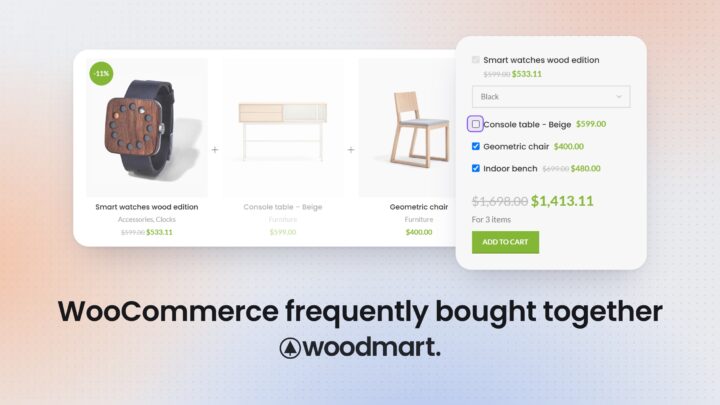
- Frequently bought together and dynamic discounts for sets, such as a table with four chairs.
- Catalog mode for showrooms and made-to-order pieces.
- AJAX filters by material, color, room or price, product comparison, wishlist and a waitlist for out-of-stock items.
For a furniture store that expects to grow, the bigger advantage is the layout builder. Shop archives, product pages, the cart and checkout can each get their own layout, so a sofa page can show a fabric selector and dimension drawing while a lamp page stays simple.
Pros
- A dedicated set of furniture and home decor prebuilt websites
- Swatches, size guides, 360° view, hotspots and delivery estimates built in
- Fully works with Gutenberg: every demo runs without Elementor
- Elementor and WPBakery support if you prefer them
- Layout builder for shop, product, cart and checkout pages
- Large user base and frequent updates
Cons
- The number of settings takes time to learn
- A store with ten products will not use most of what is included
- Popular demos are recognizable, so plan to change typography, colors and photography
Best for
WoodMart makes the most sense for furniture and home decor stores with a growing catalog that want the niche-specific features without assembling them from a dozen plugins.
2. Crona: best for furniture-only stores that want lookbooks
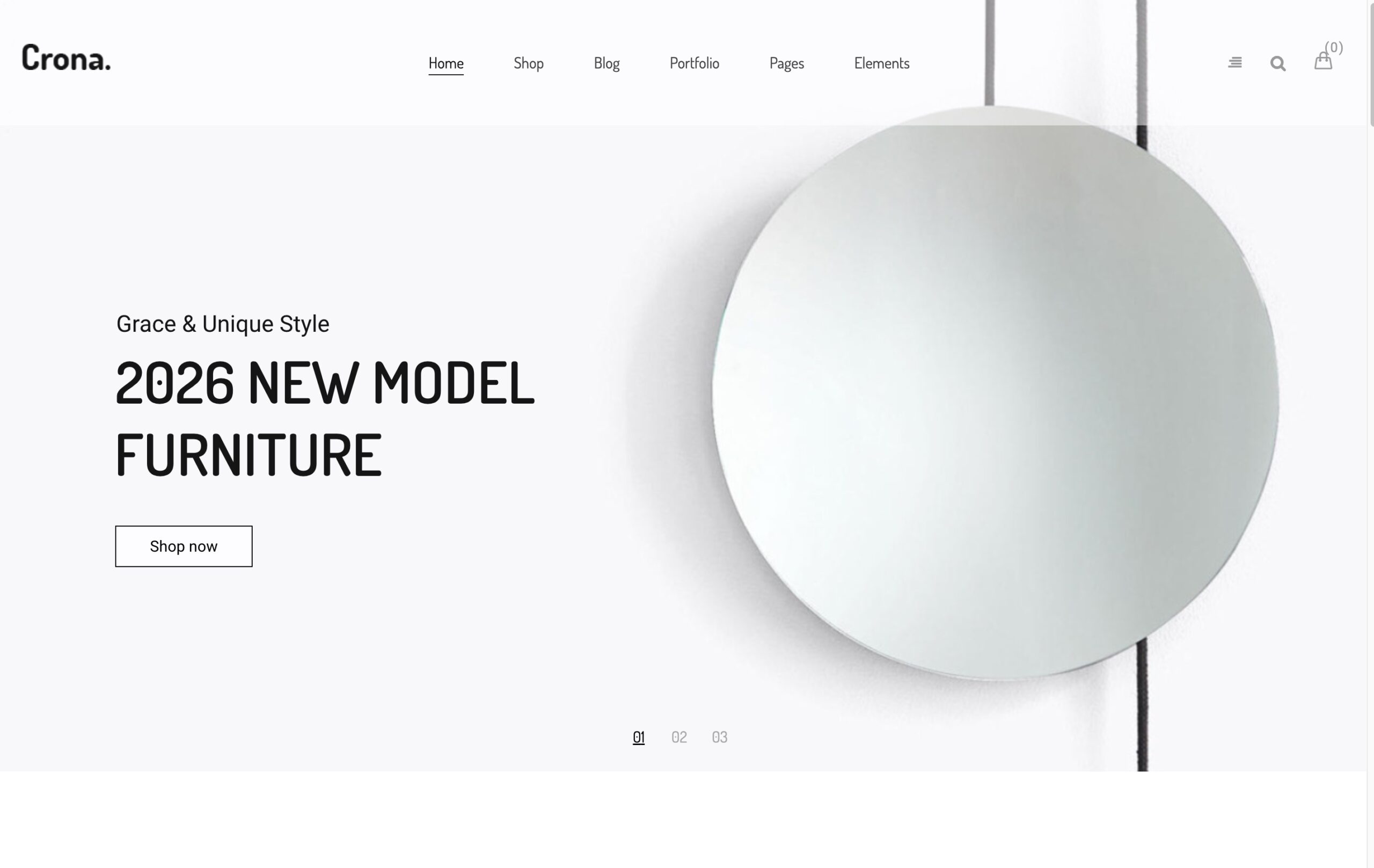
Crona by ThemeFTC is built only for furniture and interior stores. It ships with more than 21 homepage designs, including Furniture, Decor, Ceramic and LookBook variants, and a multivendor demo for WCFM.
It costs $59 on ThemeForest and was last updated in August 2026. Crona works with Elementor and WPBakery (included) and with the block editor.
Why Crona works well for furniture
Crona’s feature list reads like a furniture checklist: a 360° viewer, product hotspots, a lookbook, variation swatches, a size guide and catalog mode. The demos are clean and photo-led, which suits premium furniture brands.
The trade-off is scale. Crona has fewer than 300 sales, so you will find fewer tutorials, community answers and third-party compatibility reports than for the larger themes. The same developer also sells two similar furniture themes, Carna and Credo, which is worth knowing when you compare demos.
Pros
- Built only for furniture and interiors
- 360° view, hotspots, lookbook, size guide and catalog mode
- Many furniture homepage designs
- Supports three page builders
Cons
- Small user base
- Product bundles need a separate plugin
- Overlaps with the developer’s other furniture themes
Best for
Crona fits furniture brands that want a purpose-built design with lookbook and room-scene features and are comfortable with a smaller theme community.
3. Auros: best for minimal interior and lighting shops
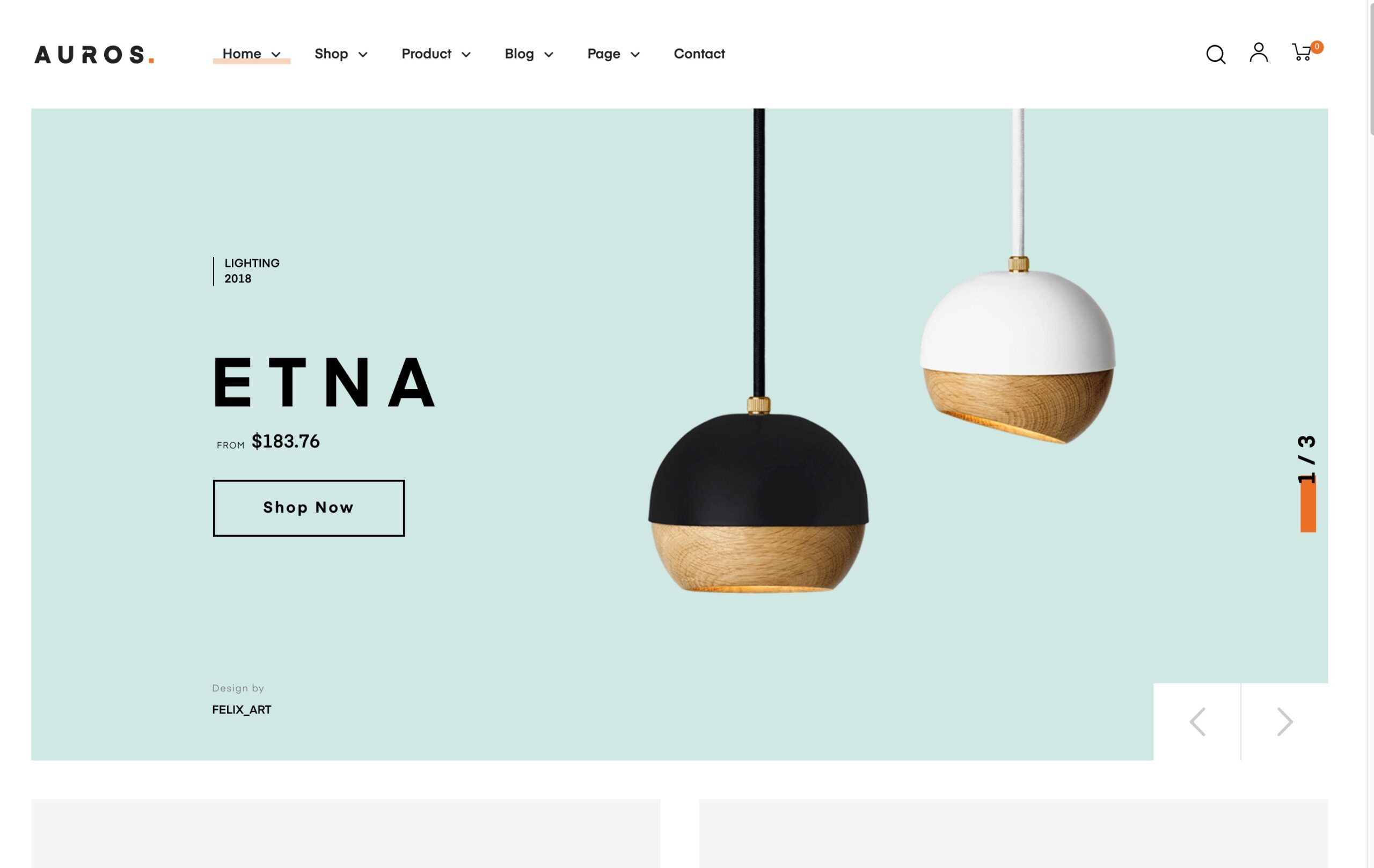
Auros by Opal is an Elementor theme for furniture, lighting and interior stores. It advertises more than 24 furniture homepages, has about 2,700 sales on ThemeForest at $59, and was updated in October 2026.
Why Auros works well for furniture
Auros leans on large product photography and generous white space, which works well for design-led furniture and lighting. Five product page layouts and several shop layouts give enough variety without needing a separate layout builder.
On its sales page we did not find swatches, a 360° view or hotspots, so plan on plugins for those. Its rating, 4.46 out of 5, is the lowest of the ThemeForest themes on this list.
Pros
- Many furniture-specific homepage designs
- Clean, photo-first look for design and lighting brands
- Several product page layouts
- Recently updated
Cons
- Elementor only
- Swatches, 360° view and hotspots need plugins
- Lower rating than the other ThemeForest themes here
Best for
Auros suits small and medium design-led stores that build with Elementor and care most about a minimal visual style.
4. Furnob: best for department-style furniture retailers
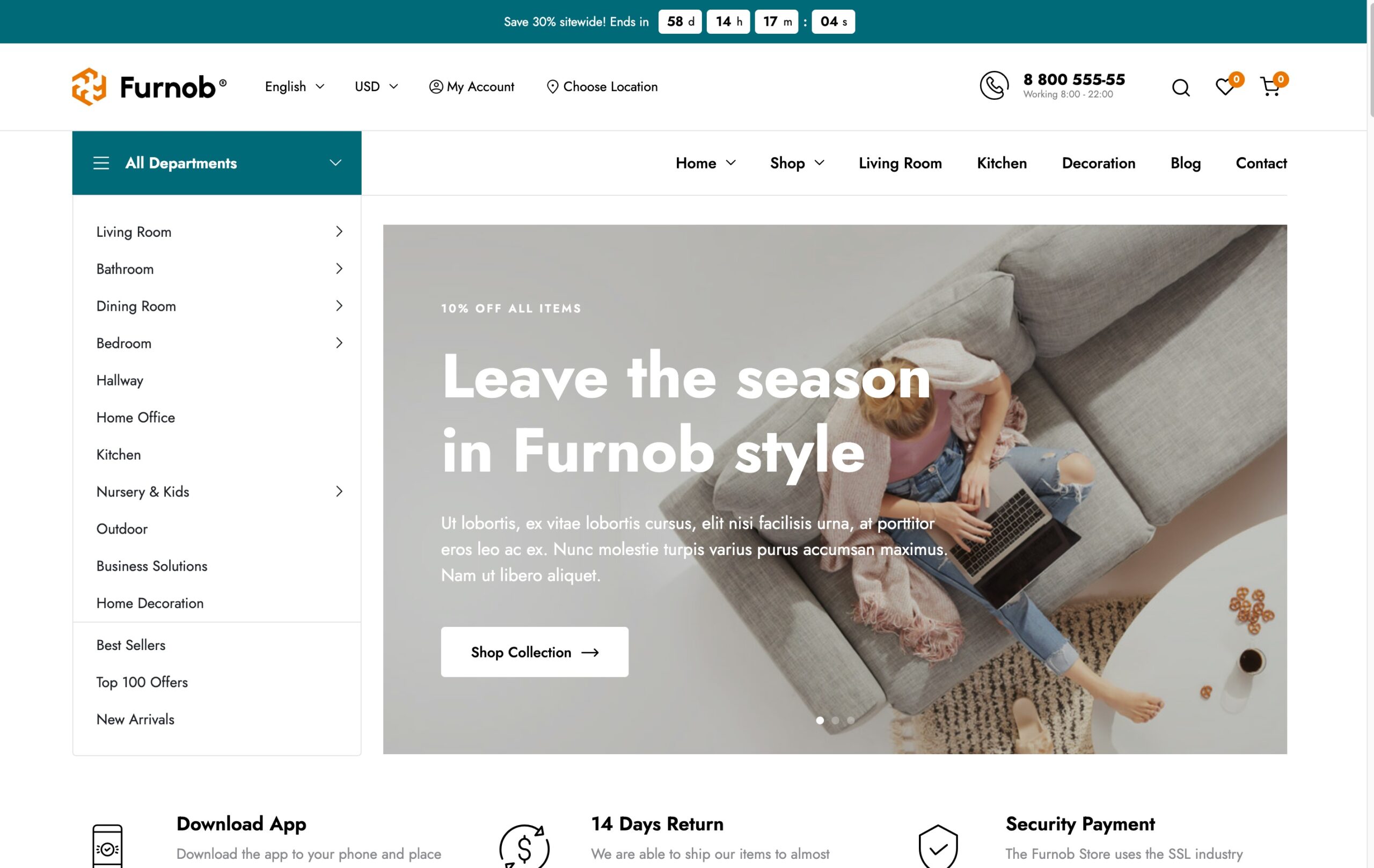
Furnob by KlbTheme is a furniture theme modeled on large home retailers: an “All departments” menu by room, promotional bars and dense category navigation. It costs $47 on ThemeForest, has about 850 sales with a 4.88 rating, and was updated in October 2026.
Why Furnob works well for furniture
Its structure suits a store that sells across many rooms, from living room and bedroom to office and outdoor. It includes a 360° view, product video, a free-shipping bar and order tracking, and it supports Dokan and WCMp for multivendor furniture marketplaces.
We did not find hotspots, a size guide or catalog mode on its sales page.
Pros
- Room-based department navigation
- 360° view and free-shipping bar
- Multivendor support
- Good rating and active updates
- Lowest price on this list
Cons
- Elementor only
- No size guide or hotspots mentioned
- Marketplace look may feel busy for a boutique brand
Best for
Furnob fits furniture retailers and marketplaces with a wide catalog across many rooms who want a familiar big-store layout.
5. Flatsome: best for store owners who want a simple builder
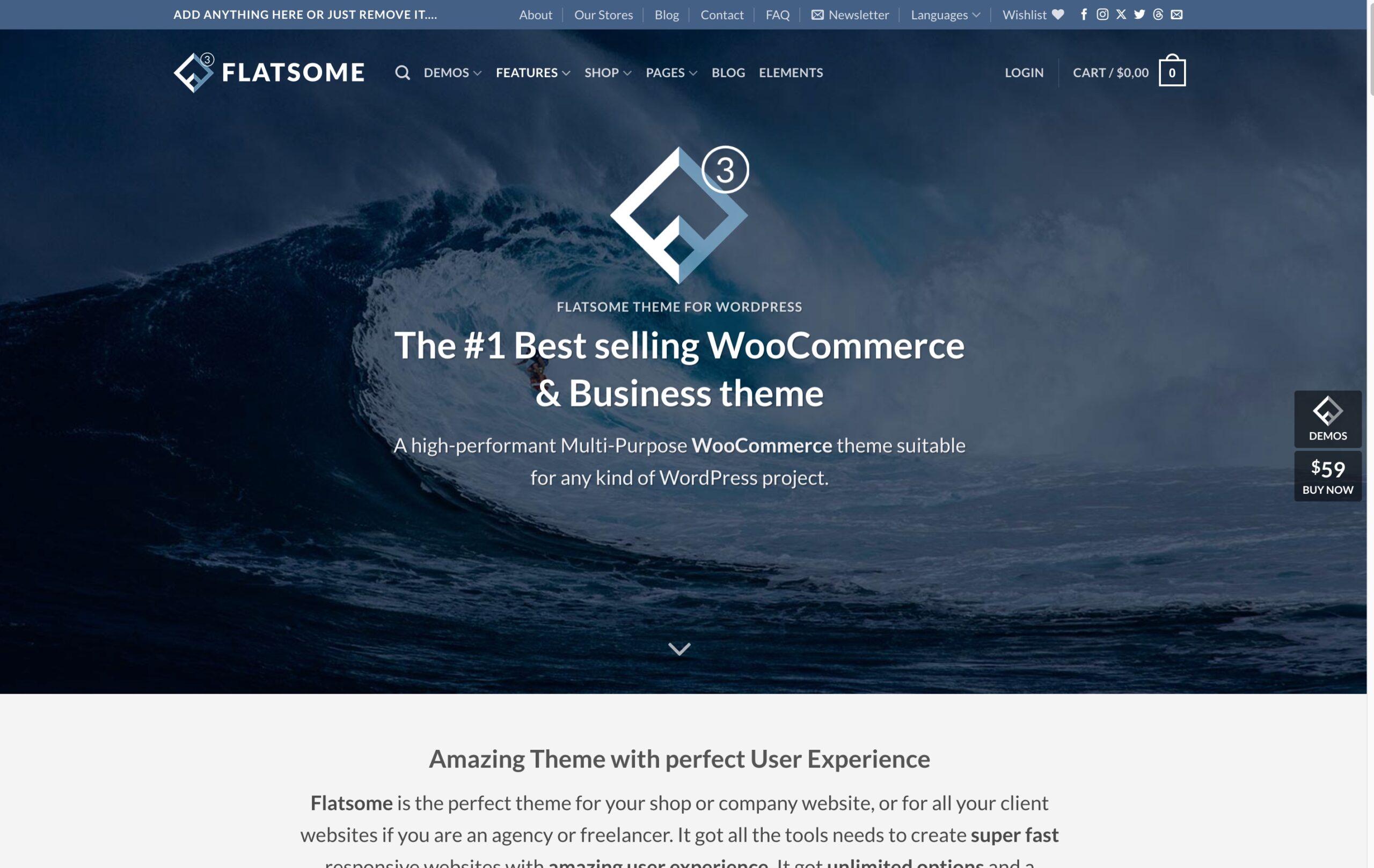
Flatsome by UX-themes is the best-selling WooCommerce theme on ThemeForest, with more than 270,000 sales. It costs $59 and was updated in September 2026.
Why Flatsome works for furniture
Flatsome is not a furniture theme and has no dedicated furniture demo. It earns a place here because of its own drag-and-drop UX Builder, which many store owners find easier than Elementor, and because its huge user base means almost every WooCommerce plugin has been tested with it.
For furniture you will rely on plugins for swatches, size guides, 360° views and delivery dates, and you will design the furniture look yourself.
Pros
- Very large user base and long track record
- Easy built-in UX Builder
- Broad plugin compatibility
Cons
- No furniture demo
- Furniture-specific features need plugins
- Tied to its own builder, which makes switching themes later harder
Best for
Flatsome suits owners who want an easy, well-known theme and are happy to add furniture features through plugins.
6. Savoy: best for small premium decor collections
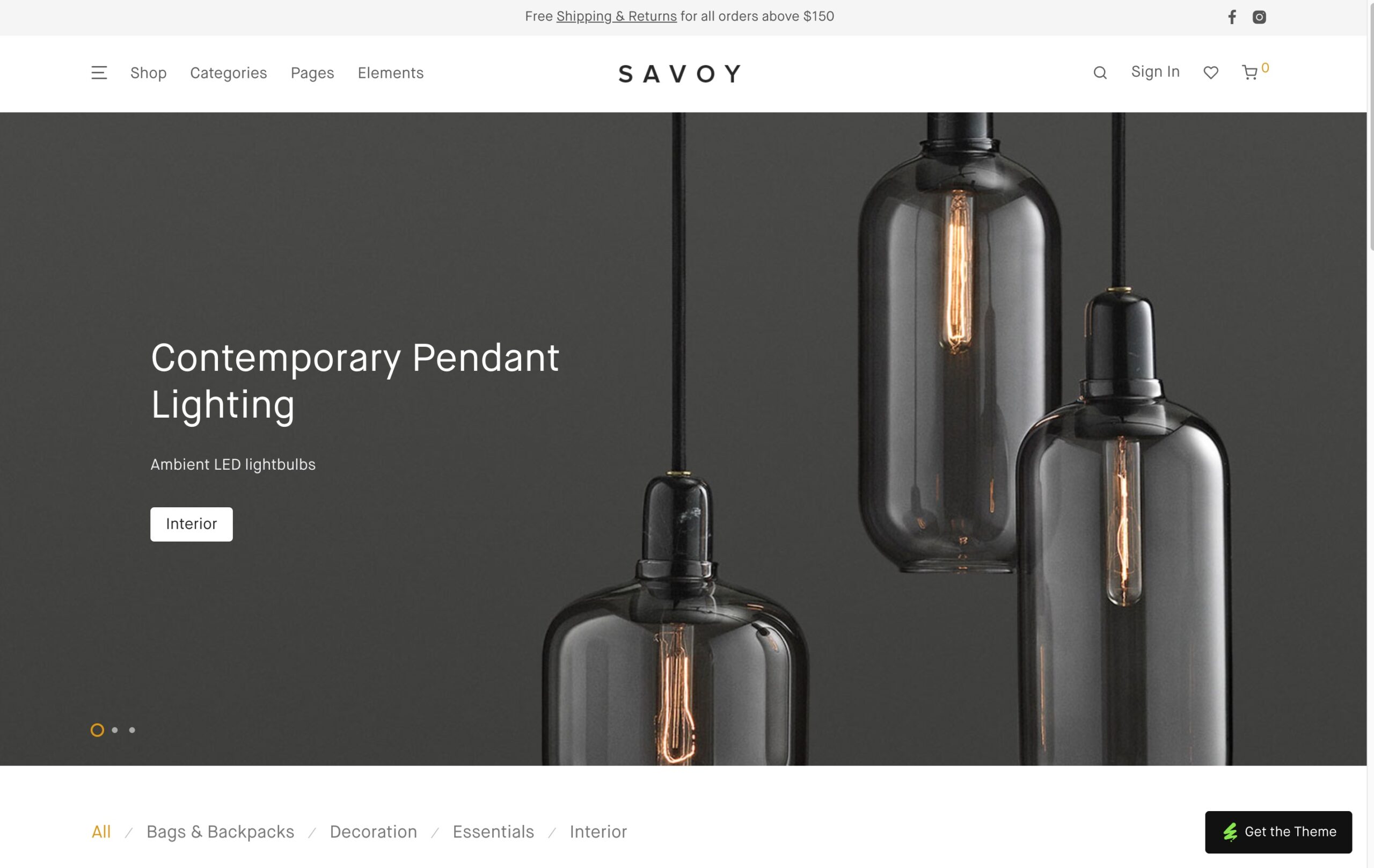
Savoy by NordicMade is a minimalist AJAX shop theme. Its demo store includes an interior category with chairs and lamps, though there is no separate furniture demo. It costs $79 on ThemeForest, has about 16,900 sales and was updated in October 2026.
Why Savoy works for furniture
Savoy’s strength is the shopping flow. Filters, the shop grid and the cart update without page reloads, and the design is calm and editorial, which fits a curated collection of decor or a few signature furniture pieces. Swatches and labels are supported.
It does not include a 360° view, lookbook or size guide.
Pros
- Polished, minimal design
- Smooth AJAX shop and filters
- Elementor and WPBakery support
Cons
- Highest price here
- No furniture demo
- Few furniture-specific features
Best for
Savoy fits small premium decor or furniture brands with a curated catalog.
7. Sedona Shop: best for Elementor sites on a small budget
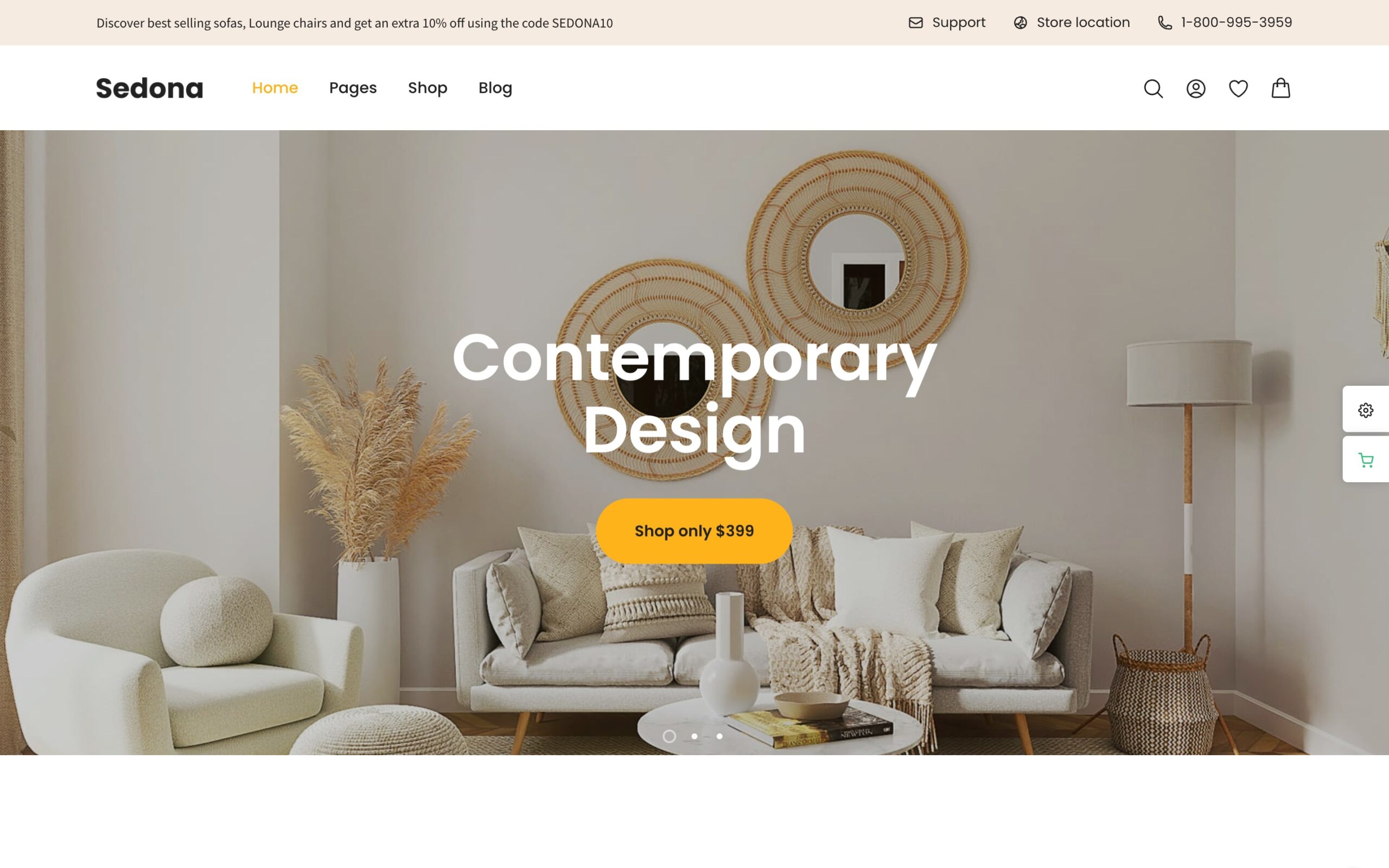
Sedona Shop by DeoThemes is a furniture and interior decor theme sold on the developer’s own site rather than ThemeForest, with a free version on WordPress.org and a Pro plan at $69 a year. It has two homepage designs and works with Elementor.
Why Sedona Shop works for furniture
Its demo is one of the most furniture-looking on this list: warm room photography, a centered hero and a simple shop. Swatches and AJAX filters are included, and the free version is a low-risk way to try it.
Its last listed update was in January 2025, almost two years ago, so check compatibility with current WordPress and WooCommerce before you build on it. Several roundups rank it first; note that one of them is published by its own developer.
Pros
- Furniture-specific design
- Free version available
- Swatches and AJAX filters
Cons
- Only two homepage designs
- No recent updates
- Yearly license instead of a one-time payment
- No 360° view or lookbook
Best for
Sedona Shop suits small furniture stores that want to start with a free theme and a simple Elementor setup.
How to choose the right furniture WooCommerce theme
For a large furniture catalog
Prioritize swatches in the shop grid, attribute filters by room, material and color, mega menus and a flexible product layout. WoodMart and Furnob are the natural candidates; WoodMart also covers dimensions and delivery dates without extra plugins.
For a premium furniture brand
Photography and room scenes matter more than filters. Look at lookbooks, hotspots, full-width galleries and video. WoodMart, Crona and Auros all have demos built around this.
For made-to-order pieces or a showroom
Check catalog mode, quote or contact forms on product pages, and how prices can be hidden. WoodMart and Crona include catalog mode.
If you do not want to depend on Elementor
Most furniture themes on this list build their demos with Elementor or WPBakery, which adds another large plugin to keep updated and to load on every page. WoodMart’s furniture demos all work in the native block editor, with Elementor as an option rather than a requirement.
For a small decor shop
You may not need 360° views or mega menus. Savoy, Auros or one of WoodMart’s smaller decor demos will be easier to keep tidy.
Test a furniture theme before you buy
A demo shows you the design. It does not show you how your own products will look in it. Before committing, import a demo and try these tasks with a few real products:
- Create a sofa with three fabrics and two sizes, and check how the swatches look on the product page and in the shop grid.
- Add a dimensions table or size guide and check that it is easy to find on a phone.
- Upload your own room photos and check sharpness and page speed.
- Build one room scene with clickable products.
- Filter a category by material, color and price at the same time.
- Check where delivery time and shipping cost appear on the product page.
- Add a set (a table with chairs) to the cart and check the discount and cart layout.
- Complete checkout on a phone.
- Test the theme with the payment, shipping and review plugins you actually plan to use.
Frequently asked questions
What is the best WooCommerce theme for a furniture store?
For most furniture stores, we recommend WoodMart: it has several furniture and decor prebuilt websites, works fully with the block editor without Elementor, and includes swatches, size guides, 360° view, hotspots and delivery estimates without extra plugins. Crona is a good furniture-only alternative with lookbook features, and Furnob suits large department-style catalogs.
Do I need a theme made only for furniture?
No. A furniture-only theme gives you a ready-made look, but a multipurpose theme with furniture demos can do the same job and usually gets more frequent updates and wider plugin support. What matters is whether the theme handles variations, dimensions, images and delivery information well.
What features should a furniture WooCommerce theme have?
Image and color swatches for finishes and fabrics, a clear way to show dimensions, large zoomable galleries, room scenes or hotspots, delivery information near the add-to-cart button, filters by room and material, and a fast mobile layout.
Do I need Elementor for a furniture store?
No. WooCommerce works with the WordPress block editor, and themes such as WoodMart run their furniture demos fully in Gutenberg. Elementor is useful if your team already knows it, but it is not a requirement, and leaving it out means one less heavy plugin on every page.
Is there a free WooCommerce theme for furniture stores?
Yes. Sedona Shop has a free version, and general free themes such as Astra, Kadence and Blocksy offer furniture starter templates. Expect to add swatches, size guides and delivery estimates with plugins, which often costs more over time than a premium theme.
How much does a furniture WooCommerce theme cost?
Most premium themes on ThemeForest cost $47 to $79 as a one-time payment with six months of support and lifetime updates. Some themes sold elsewhere use a yearly license instead.
Can WooCommerce handle a large furniture catalog?
Yes, but performance depends on hosting, image optimization, caching and the number of plugins as much as on the theme. Furniture stores carry many large images, so responsive images and lazy loading are worth checking early.
Final thoughts
A furniture store has to do what a showroom does: show the material up close, give the dimensions, place the piece in a room and promise a delivery date. The theme you choose decides how much of that you get out of the box.
WoodMart covers the most of it, with several furniture and decor prebuilt websites and the niche features built in. Crona is the most complete furniture-only theme, Auros and Savoy suit design-led collections, Furnob fits big catalogs across many rooms, Flatsome is the safe general choice if you are happy to add plugins, and Sedona Shop is a free starting point for a small store.
Whichever you pick, test it with your own products and photos before you launch. If you want to see how WoodMart handles furniture, browse the furniture prebuilt websites or read our guide to the best WooCommerce themes for electronics stores for a different niche.

 Vladyslav Hryhorenko