
WoodMart vs Blocksy (2026): which is better for WooCommerce?
 Serg Sokhatskyi
10 min read
Serg Sokhatskyi
10 min read
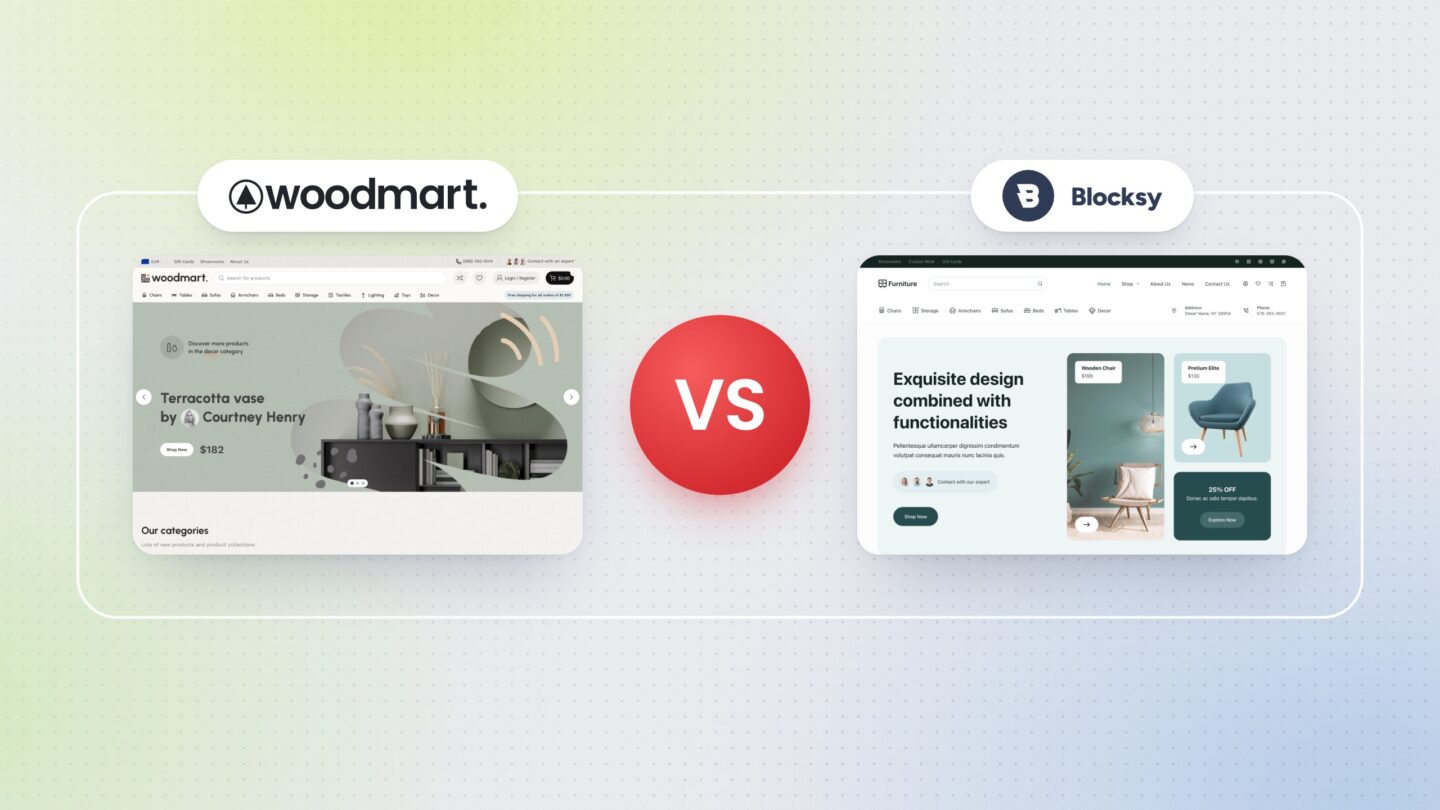
Choosing between WoodMart vs Blocksy Pro for a WooCommerce store? These two themes take very different routes. Instead of simply listing features, we built the same page on two clean test stores, measured it under identical conditions and compared the themes on the things that matter most when you build and grow an online store: theme settings, page building, ready-made demos, performance, WooCommerce features and price. Our goal is to show the strengths and weaknesses of each theme so you can make an informed choice.
Table of contents
- Theme settings
- Page builder
- Prebuilt websites
- Speed and performance
- WooCommerce features
- Pricing
- What to choose in the end?
- Frequently asked questions
Theme settings
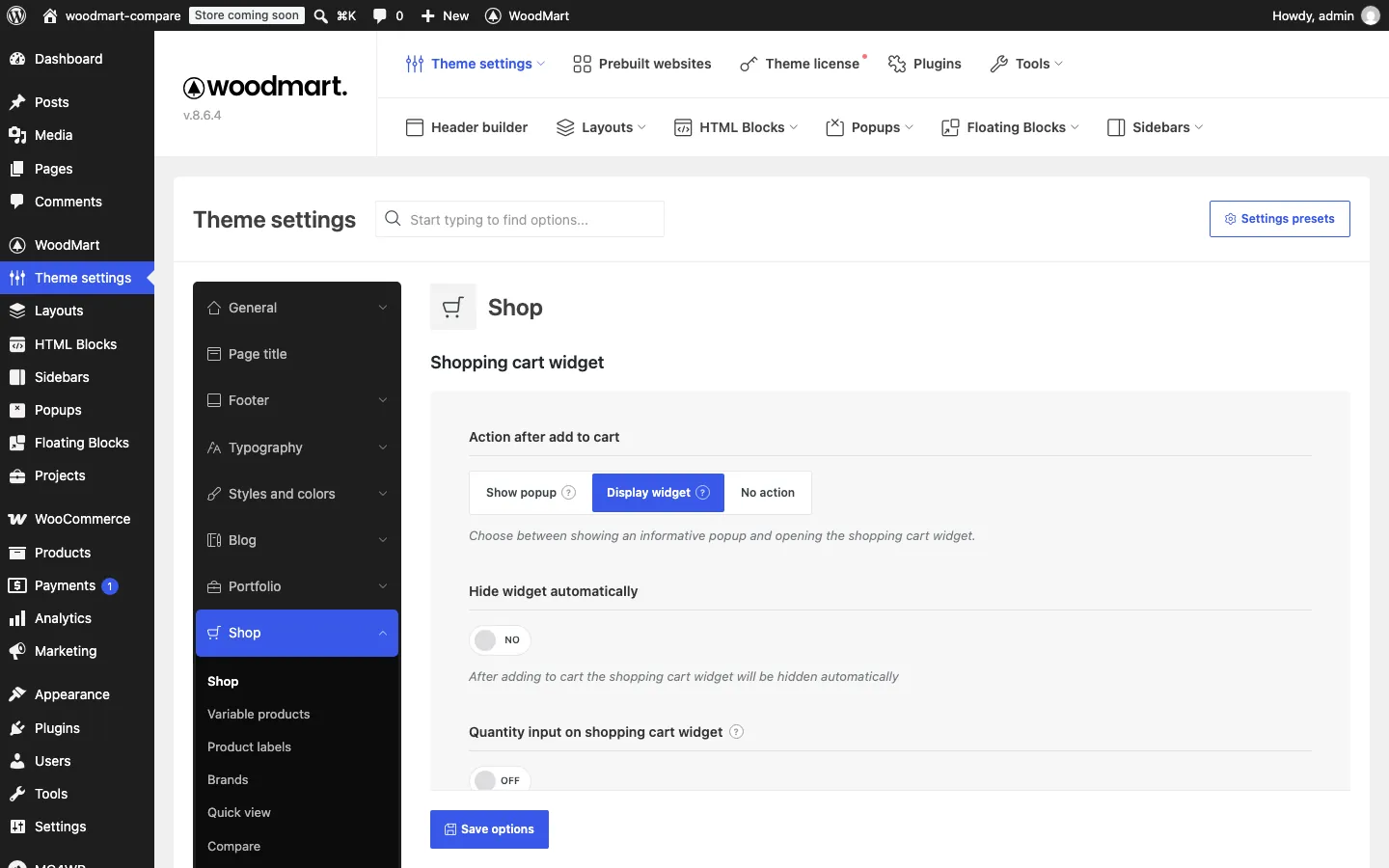
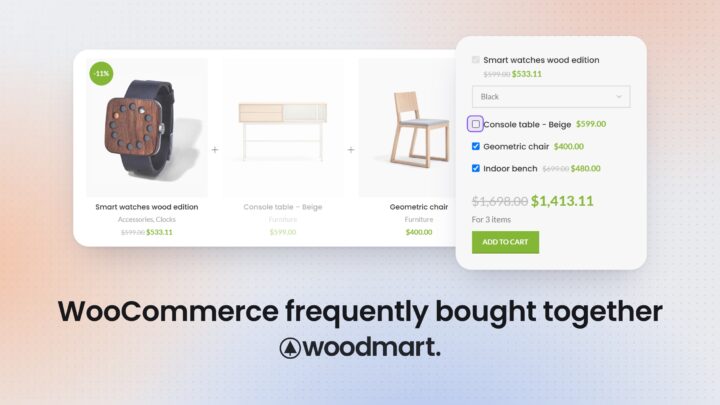
In WoodMart, global options are collected in one Theme Settings panel. Here you set the basics (layouts, colors, typography) and switch on store features: quick view, wishlist, compare, waitlist, free shipping bar, frequently bought together, abandoned cart, price tracker and more.
The panel has a search box, and most options come with a tooltip, image or short video. You can also save several sets of settings and apply them to different pages by condition.
Blocksy keeps its options in the WordPress Customizer. Store features come from the Shop Extra extension of Blocksy Companion Pro: you switch each module on in Blocksy › Extensions › Shop Extra and then configure it in the Customizer. The header and footer builders also live in the Customizer; that is where we edited the header and footer of our test store.
The main advantage of the Customizer is the live preview: you change a color or a product card layout and see the result at once, without saving or reloading the page.
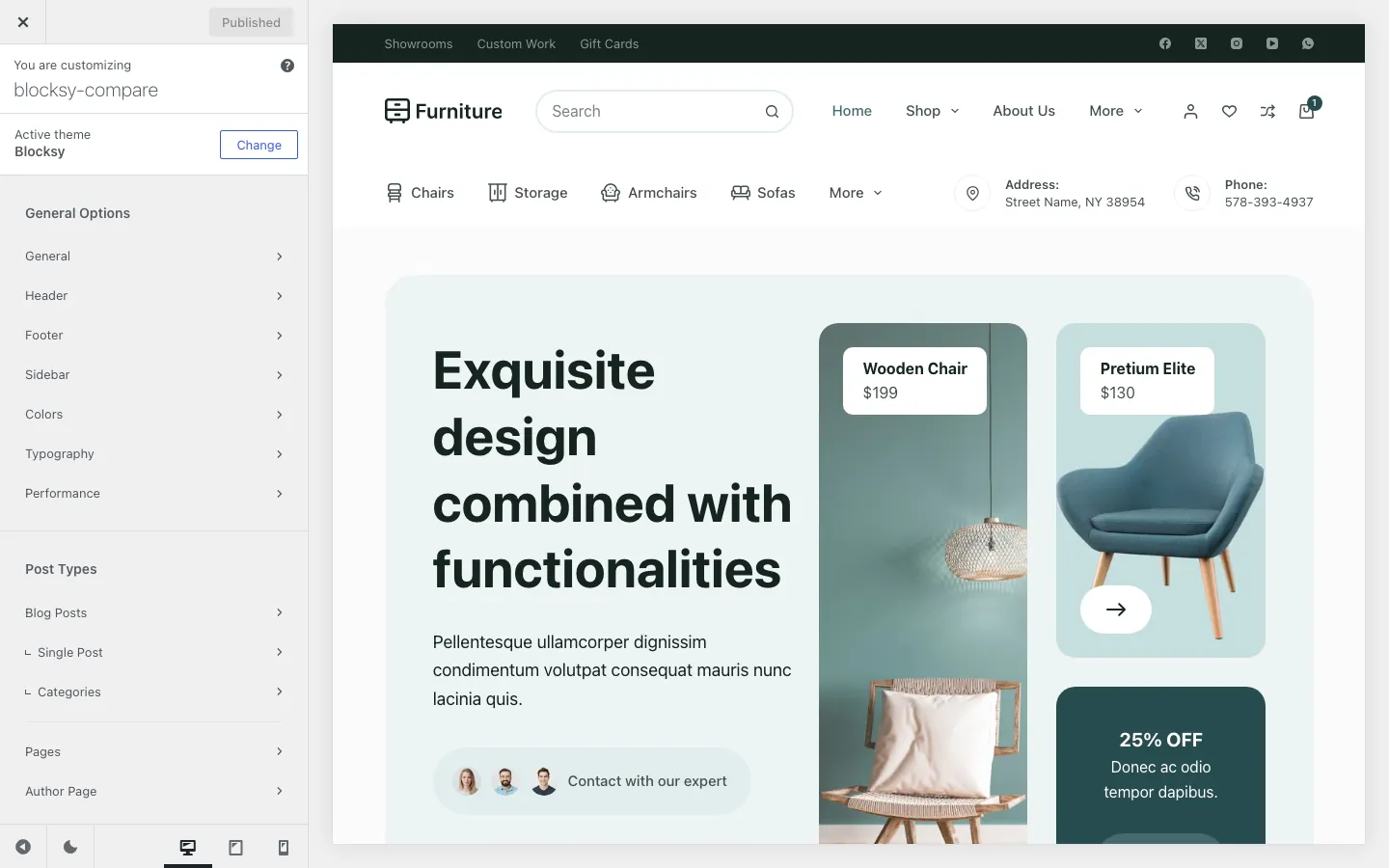
Conclusion. WoodMart bets on one searchable settings panel with presets, which is convenient when you need a specific store option among hundreds. Blocksy relies on the Customizer, so visual changes are quicker to judge in real time, but store modules are switched on in one place and configured in another.
Page builder
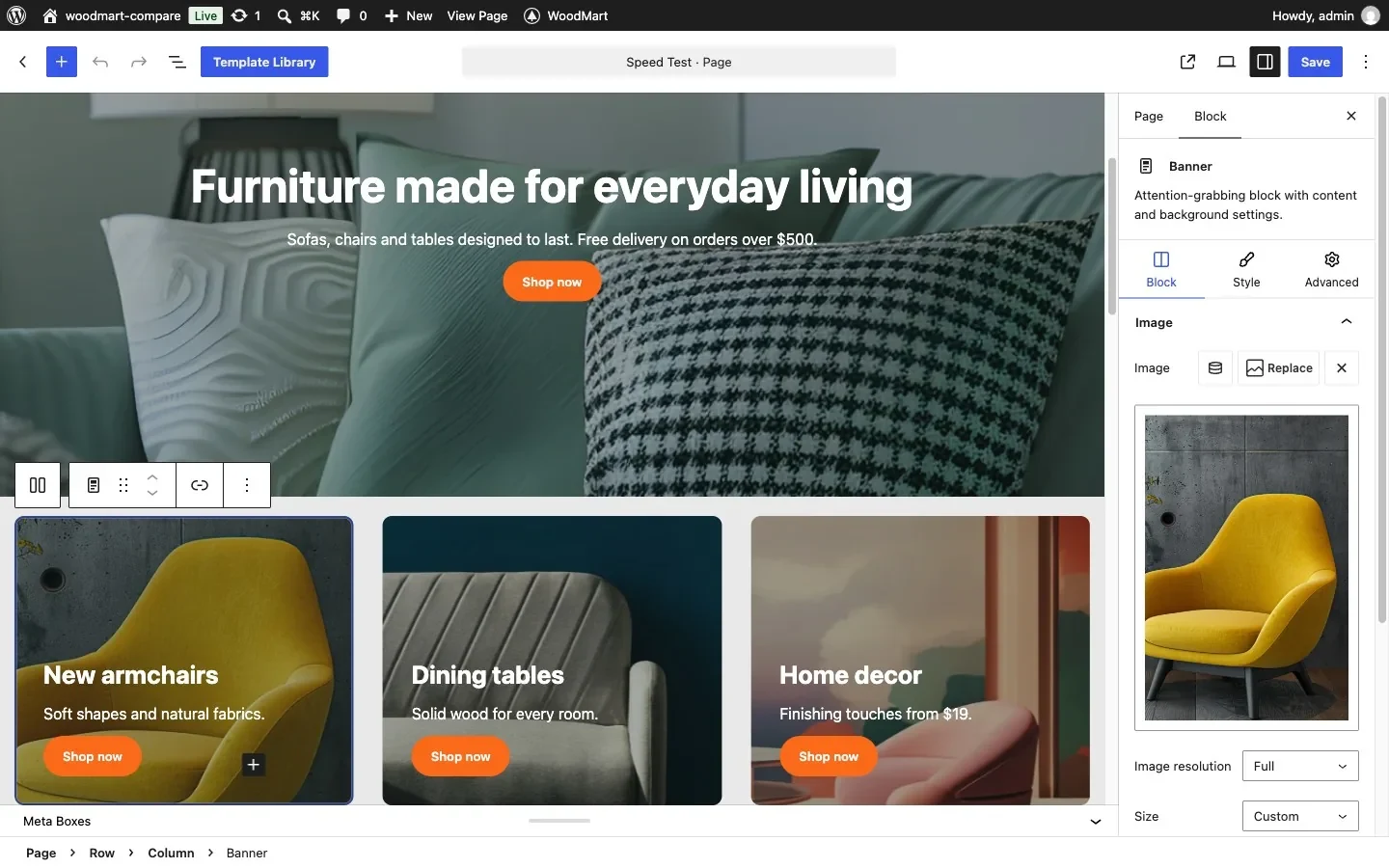
WoodMart supports three page editors: Gutenberg, Elementor and WPBakery. By default it uses Gutenberg with its own block library: banners, rows and full-width sections, product and category grids, blog, sliders, tabs and more. We built the whole test page for this article with WoodMart blocks only, without any extra plugin.
The same blocks are used in the Layouts builder, where you design the Single Product, Products Archive, Cart, Checkout, Thank You Page, My Account and login pages and assign them by condition.
Blocksy lists Gutenberg, Elementor, Brizy and Beaver Builder as supported builders. Its Gutenberg starter sites build their sections with the free GreenShift plugin, which the Furniture starter site installed for us. We used GreenShift blocks for the hero and banners, WooCommerce shortcodes for categories and products, and a core Query Loop for the blog.
Shop and product pages are configured in the Customizer, and Blocksy Pro’s Content Blocks can add sections through hooks or replace single and archive templates. There is no dedicated template type for the cart or checkout.
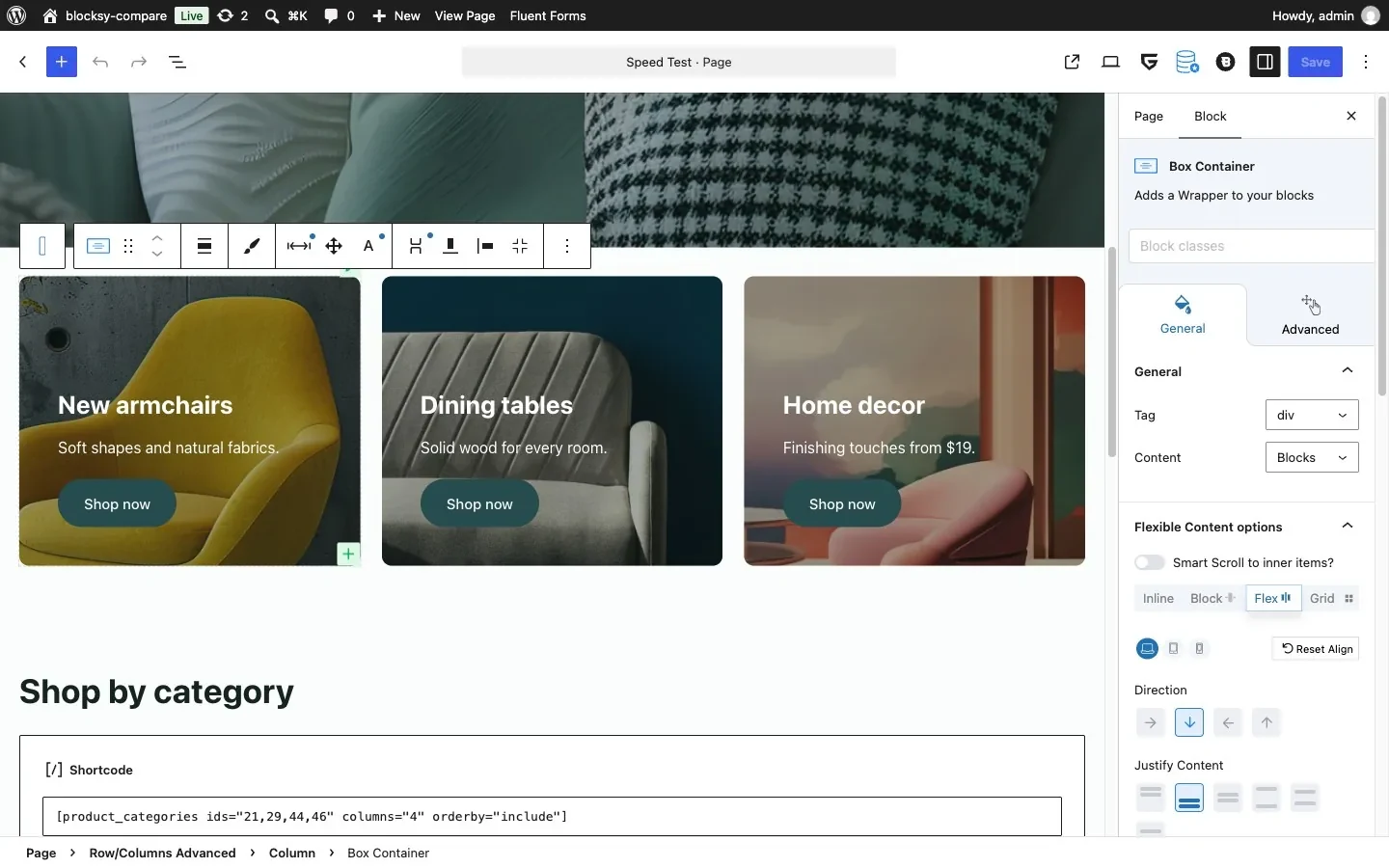
Conclusion. WoodMart gives you a complete set of store blocks inside the theme and lets you design every WooCommerce template, including cart and checkout. With Blocksy you combine the Customizer, Content Blocks and a third-party block plugin such as GreenShift, and the cart and checkout keep their default structure.
Prebuilt websites
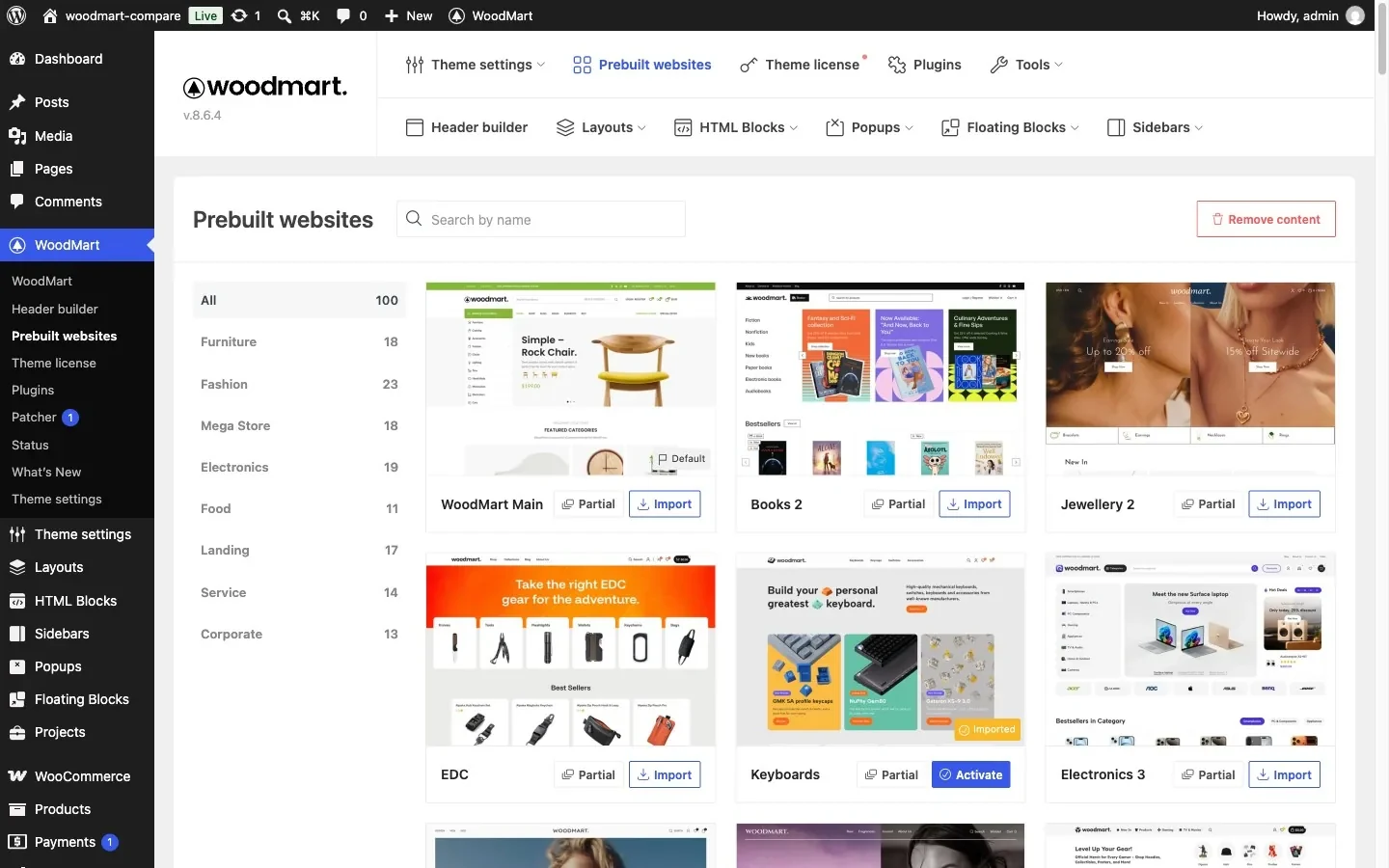
WoodMart offers 100 Prebuilt Websites, grouped by niche: furniture, fashion, mega store, electronics, food and more. Every one is a store design. Besides a full import, each demo has a Partial import, so you can bring in a single page, a layout or only the demo’s settings, and you can remove demo content later with one button.
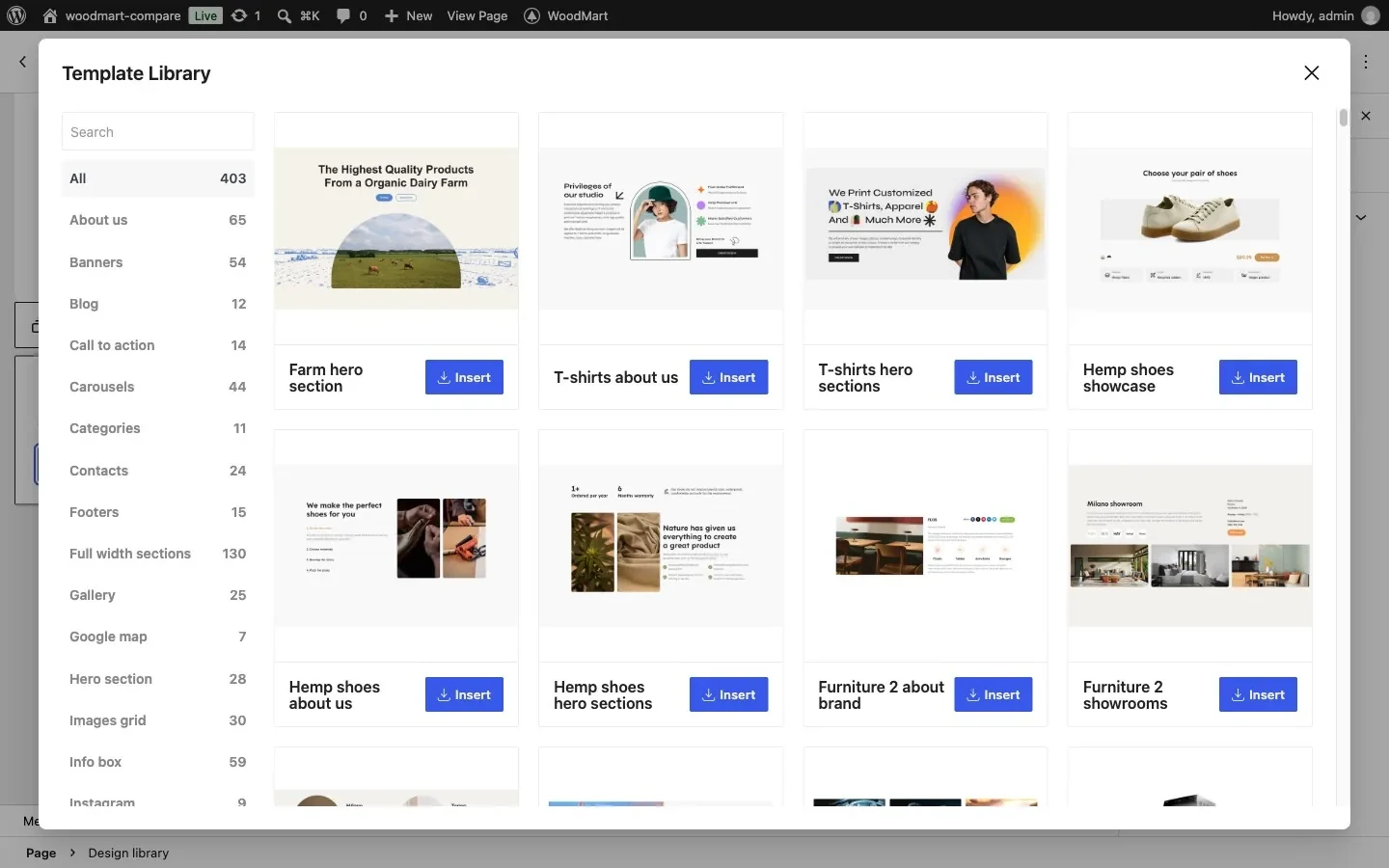
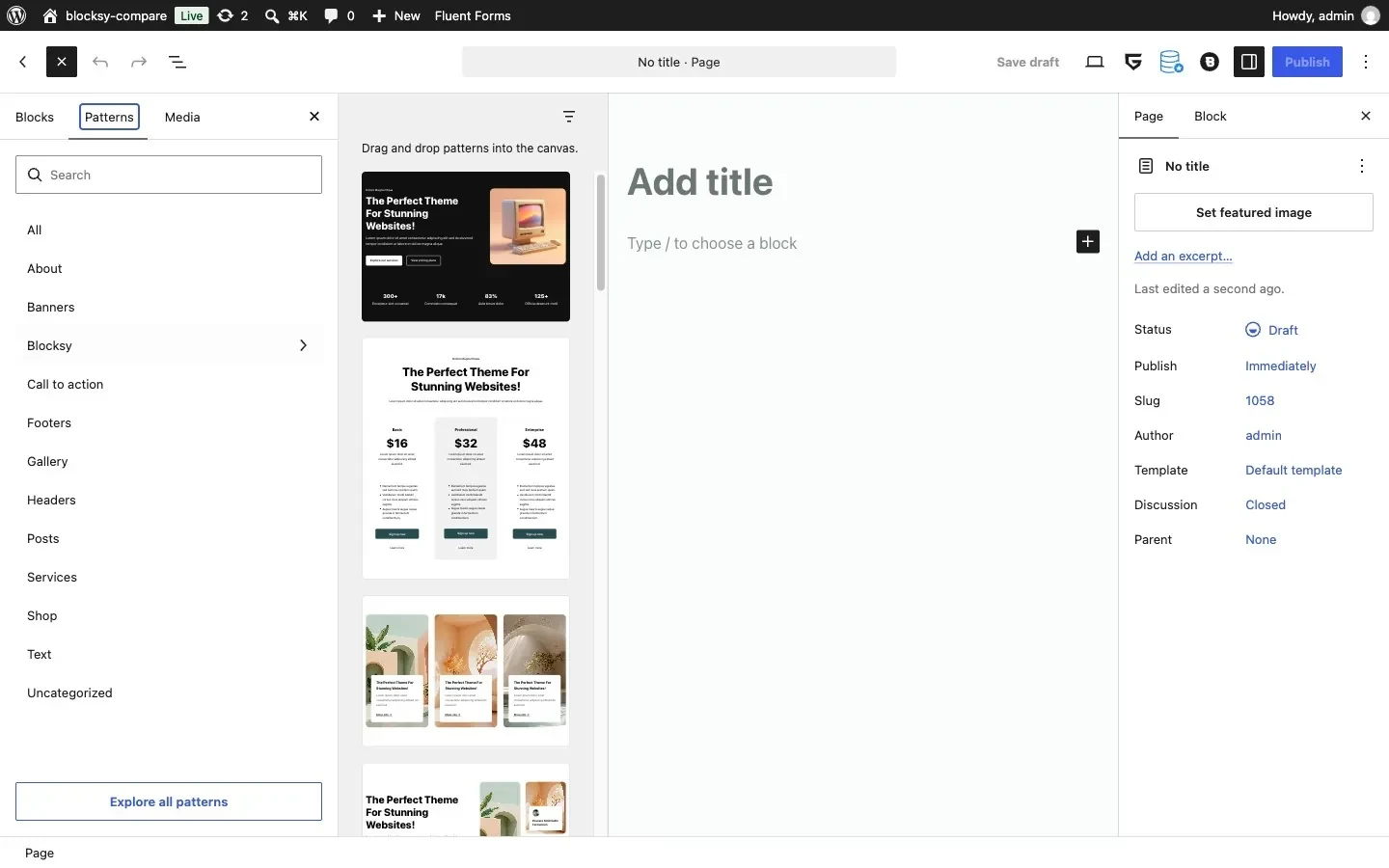
For individual sections there is the Template Library, opened with a button right in the page editor. At the time of testing it had 403 ready-made templates in categories such as full-width sections, hero sections, banners, about us, info boxes, carousels, contacts and footers. A template is inserted into the page as regular WoodMart blocks, so you can edit it like anything else on the page, without importing a whole demo.
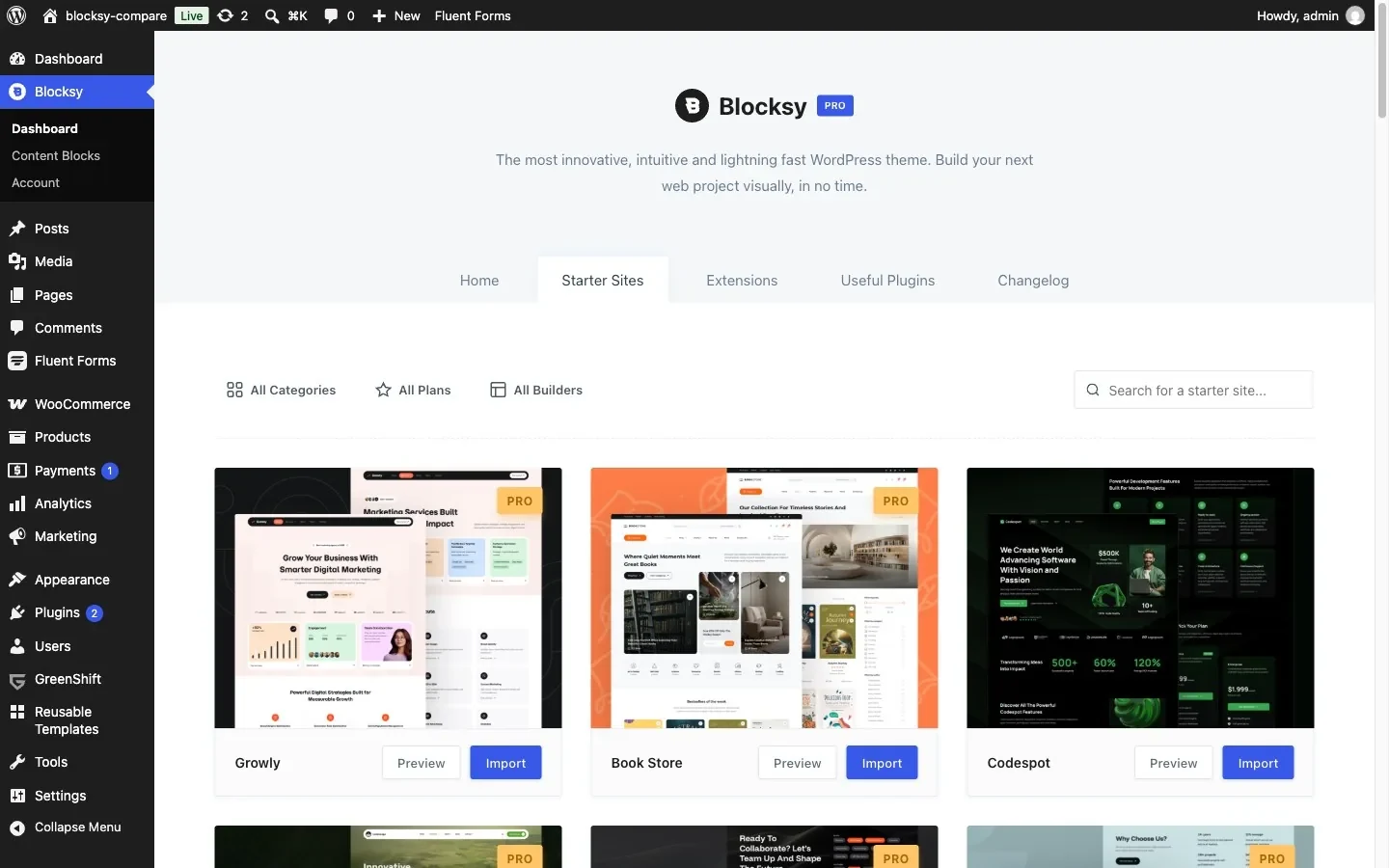
Blocksy shows 45 starter sites in its dashboard. They cover many kinds of websites (agencies, restaurants, clinics, blogs), and 14 of them are WooCommerce stores, such as Furniture, Kiddy, Gadgets, Cosmetic and Modern Shop. 13 starter sites need a paid Blocksy plan. Most come in Gutenberg and Elementor versions, some also for Brizy.
Blocksy has no separate library of section templates. It adds 22 block patterns to the standard Gutenberg inserter: 12 page sections, 5 post list layouts and 5 taxonomy layouts. The rest of the patterns in the inserter come from WordPress and WooCommerce.
Conclusion. For an online store, WoodMart has a much larger choice: 100 store demos against 14, partial import of pages and layouts, and 403 section templates in the Template Library against 22 block patterns in Blocksy. Blocksy’s starter sites cover more kinds of websites, but there are fewer of them for WooCommerce.
Performance
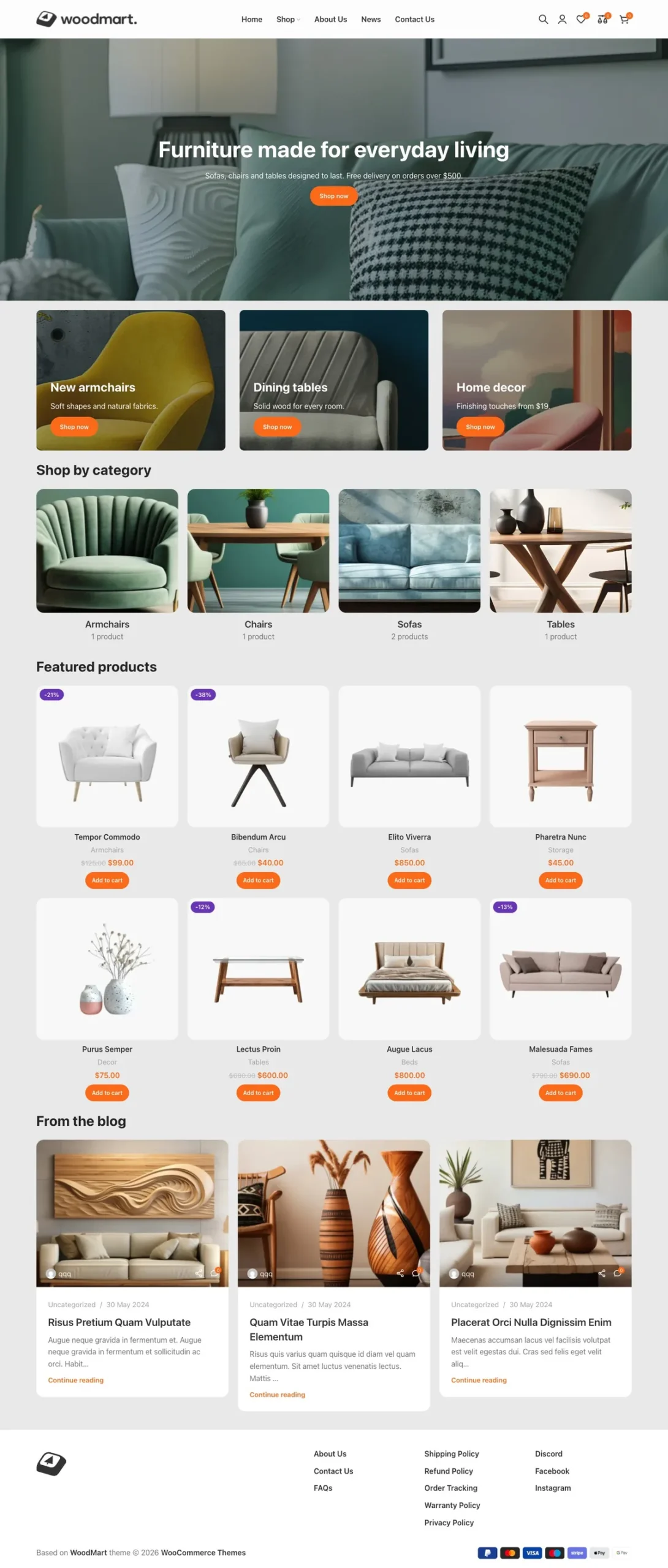
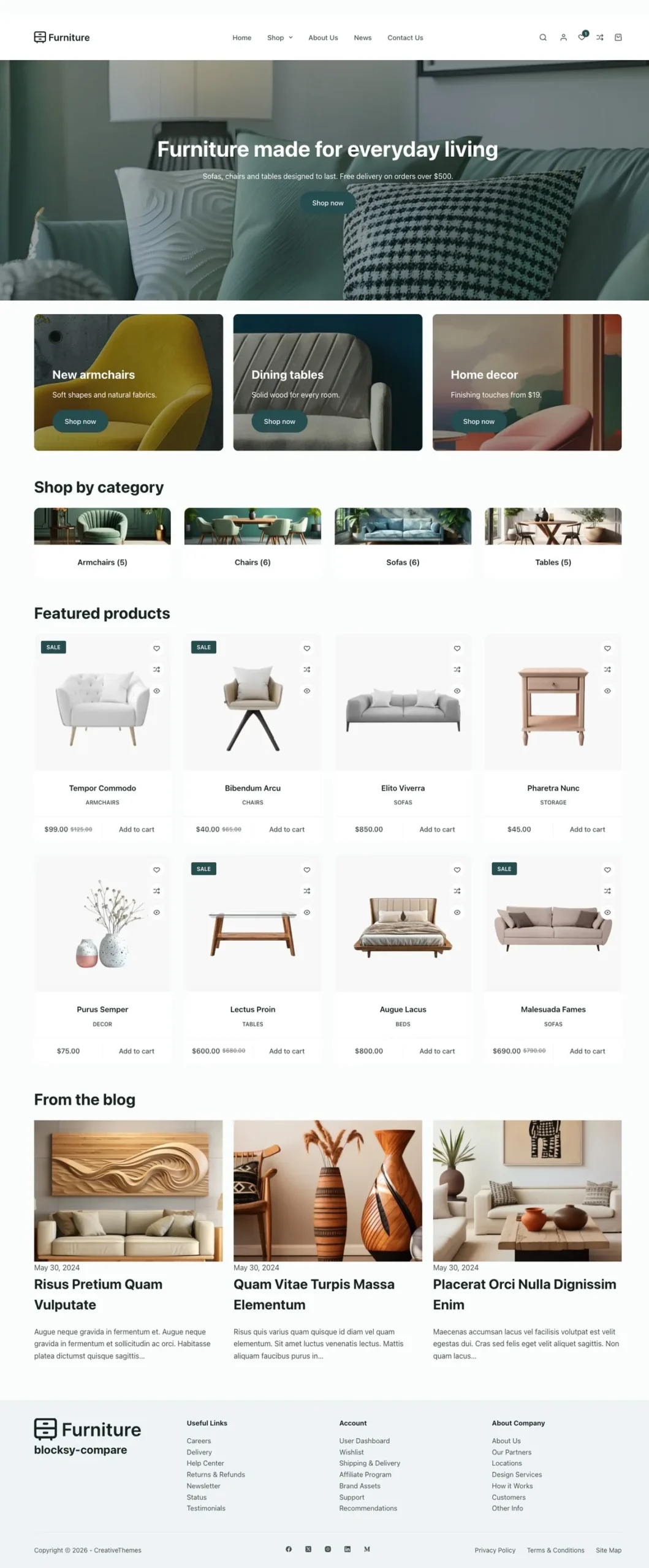
To make the comparison as fair as possible, we built the same page on both test stores: a full-width hero, three banners, four product categories, eight products and three blog posts. Both pages use the same images, product names and prices, the same posts, the same header menu and system fonts. Each page was built the way a user of that theme would build it, with WoodMart blocks on WoodMart and with GreenShift blocks, WooCommerce shortcodes and a core Query Loop on Blocksy.
Both stores ran on the same local server (nginx, PHP 8.2, WooCommerce 11.2) over HTTPS with HTTP/2, without page cache or CDN. We tested as an anonymous visitor with an empty cache, 5 runs per theme, and report the median. Mobile used Lighthouse’s throttling values (Slow 4G and a CPU slowed down 4×) on a 412 px screen.
Mobile (Slow 4G, 4× CPU slowdown)
| WoodMart | Blocksy | |
|---|---|---|
| First Contentful Paint | 1.68 s | 2.12 s |
| Largest Contentful Paint | 1.68 s | 3.80 s |
| Total Blocking Time | 0 ms | 0 ms |
| Cumulative Layout Shift | 0 | 0 |
| Time To First Byte | 222 ms | 197 ms |
| Requests | 102 | 43 |
| Page weight | 423 KB | 391 KB |
Desktop
| WoodMart | Blocksy | |
|---|---|---|
| First Contentful Paint | 0.35 s | 0.36 s |
| Largest Contentful Paint | 0.36 s | 0.54 s |
| Total Blocking Time | 0 ms | 0 ms |
| Cumulative Layout Shift | 0.001 | 0 |
| Time To First Byte | 175 ms | 157 ms |
| Requests | 115 | 49 |
| Page weight | 523 KB | 348 KB |
On mobile, WoodMart showed the main element of the page 2.1 seconds sooner: Largest Contentful Paint was 1.68 s against 3.80 s. Google counts LCP of 2.5 s or less as “good”, and only WoodMart was under that line. On desktop the first paint was almost the same, but the main element again appeared sooner on WoodMart (0.36 s against 0.54 s). Neither theme blocked the main thread or shifted the layout.
Why WoodMart shows the page sooner
- Less render-blocking CSS. WoodMart loads one stylesheet in the page head and places the other small CSS files next to the elements that use them, so the browser can start painting early. Blocksy loads 14 stylesheets in the head, and the browser waits for all of them before the first paint.
- The hero image is found right away. WoodMart’s Banner block outputs a real image with
srcsetand high fetch priority, so the browser starts downloading it at once and picks a 768 px file on a phone. On Blocksy the hero is a GreenShift background image: the browser finds it only after the CSS and downloads the full-size file.
Conclusion. In our test, WoodMart was faster where shoppers feel it most: the page and its main image appeared sooner, especially on a slow phone connection. Blocksy made fewer requests and transferred less data. Keep in mind that results depend on hosting, caching, plugins and how a page is built, so the numbers reflect this specific test environment.
WooCommerce features
This is not a complete list of capabilities. We selected the WooCommerce features that most often influence the choice of a theme and that can replace separate plugins. In Blocksy, most store features come from the Shop Extra extension, which is available only in the Business and Agency plans.
| Feature | WoodMart | Blocksy Pro |
|---|---|---|
| Quick view | ✅ Built-in | ✅ Shop Extra |
| Wishlist | ✅ Built-in | ✅ Shop Extra |
| Product compare | ✅ Built-in | ✅ Shop Extra |
| Variation swatches | ✅ Built-in | ✅ Shop Extra |
| Advanced product filters | ✅ Built-in | ✅ Shop Extra |
| Free shipping bar | ✅ Built-in | ✅ Shop Extra |
| Size guide | ✅ Built-in | ✅ Shop Extra |
| Back-in-stock waitlist | ✅ Built-in | ✅ Shop Extra |
| Cart reserved timer | 🔌 Third-party plugin | ✅ Shop Extra |
| Cart and checkout builder | ✅ Built-in | 🔌 Third-party plugin |
| Frequently bought together | ✅ Built-in | 🔌 Third-party plugin |
| Dynamic discounts | ✅ Built-in | 🔌 Third-party plugin |
| Free gifts | ✅ Built-in | 🔌 Third-party plugin |
| Estimate delivery date | ✅ Built-in | 🔌 Third-party plugin |
| Abandoned cart recovery | ✅ Built-in | 🔌 Third-party plugin |
| Price drop tracker | ✅ Built-in | 🔌 Third-party plugin |
| Review reminder | ✅ Built-in | 🔌 Third-party plugin |
| Linked variations | ✅ Built-in | 🔌 Third-party plugin |
| Brizy and Beaver Builder support | Not supported | ✅ Built-in |
| WordPress Customizer | Not supported | ✅ Built-in |
Conclusion. With the Business plan, Blocksy covers the everyday store tools: quick view, wishlist, compare, swatches, filters. The difference shows up in tools that raise average order value and bring shoppers back. WoodMart already includes frequently bought together, dynamic discounts, free gifts, abandoned cart recovery and a cart and checkout builder, while with Blocksy these need third-party plugins.
Pricing
WoodMart costs $69 once per site on ThemeForest, with 6 months of support (extendable to 12 months at checkout).
The Blocksy theme is free, but the store features above need Blocksy Pro with the Business or Agency plan. Personal does not include Shop Extra. Prices as of October 12, 2026:
| Plan | Sites | Yearly | Lifetime | Shop Extra |
|---|---|---|---|---|
| Personal | 1 | $69 | $199 | ❌ No |
| Business | 10 | $99 | $299 | ✅ Yes |
| Agency | Unlimited | $149 | $499 | ✅ Yes |
Who should choose WoodMart?
WoodMart will be the better choice if you:
- want the most WooCommerce features without installing a pile of third-party plugins;
- need to design the cart, checkout and other store templates yourself;
- care about how fast shoppers see your pages on a phone;
- use Gutenberg, Elementor or WPBakery and want to keep the choice of page builder;
- want a large library of store demos and prefer paying once.
Who should choose Blocksy?
Blocksy Pro will be a good choice if you:
- like editing the design in the WordPress Customizer with a live preview;
- want to start with a free theme and upgrade later;
- run a store with a simple catalog that does not need bundles, discount rules or a custom checkout;
- build many small sites, where an Agency plan for unlimited sites pays off;
- want the fewest files and the least JavaScript on a page.
Final conclusion
WoodMart and Blocksy are both solid themes for WooCommerce, but they take different approaches.
WoodMart puts the whole store toolbox into the theme: 100 store demos, a builder for every WooCommerce template, and sales tools such as frequently bought together, dynamic discounts and abandoned cart recovery. On our identical test page it also showed the content sooner, especially on mobile.
Blocksy takes a different approach: a free core theme that you set up in the WordPress Customizer, with store features added through the paid Shop Extra extension. It covers the basic WooCommerce tools, but more advanced scenarios, such as bundles, dynamic discounts or a custom checkout, require third-party plugins.
If you want the most WooCommerce features in one theme, faster pages on mobile and the freedom to grow your store without extra plugins, WoodMart will be the better choice. But if you are used to working in the WordPress Customizer or need a theme with a basic set of store features, Blocksy Pro is also a solid option. For another matchup, read our WoodMart vs Flatsome comparison.
Frequently asked questions
Is WoodMart better than Blocksy for WooCommerce?
For a store that needs advanced sales tools, yes. WoodMart includes frequently bought together, dynamic discounts, free gifts, abandoned cart recovery and a cart and checkout builder in the theme. Blocksy Pro covers the basic store tools through Shop Extra, and for these features you need third-party plugins.
Which is faster, WoodMart or Blocksy?
On our identical test page over HTTP/2, WoodMart showed the main content sooner: LCP was 1.68 s against 3.80 s on throttled mobile and 0.36 s against 0.54 s on desktop. Blocksy made fewer requests and transferred less data.
Is Blocksy free?
The Blocksy core theme is free. The WooCommerce features from this comparison come with the Shop Extra extension, which is included in the Blocksy Pro Business ($99 per year) and Agency ($149 per year) plans, but not in Personal.
How much does WoodMart cost?
WoodMart costs $69 once per site on ThemeForest, with 6 months of support that you can extend to 12 months at checkout.
Does Blocksy have a cart and checkout builder?
No. Blocksy Pro has no dedicated template type for the cart or checkout, so these pages keep their default structure unless you add a third-party plugin. WoodMart lets you design the cart, checkout and Thank You Page in its Layouts builder.

 Vladyslav Hryhorenko