5 best WooCommerce themes for 2026 (compared & reviewed)


The best WooCommerce themes do more than make a store look good. They decide how fast your product pages load, how easily shoppers filter a catalog, and how many plugins you need to buy before launch.
Pick the wrong one and you pay for it twice: first in extra plugins, then in a redesign a year later.
In this guide, we compare five WooCommerce themes that are actively maintained in 2026. We looked at each one the same way: built-in store features, design and demos, builder support, speed, support terms and real cost. Every price and sales figure below comes from the theme’s official page or marketplace listing as of October 2026.
Best WooCommerce themes compared
| Theme | Price | Sales / installs | Rating | Page builder | Best for |
|---|---|---|---|---|---|
| WoodMart | $69 one-time | 119K+ sales | 4.91 (3.7K reviews) | Elementor, Gutenberg, WPBakery | Growing and large stores that want everything built in |
| Purple | Free | New in 2026 | — | Site Editor (block theme) | New stores built the WordPress-native way |
| Flatsome | $59 one-time | 270K+ sales | 4.83 (8.2K reviews) | UX Builder | UX Builder users who need core store features |
| Blocksy | Free core / Shop Extra from $99/yr | 300K+ installs | 5.0 (873 reviews) | Gutenberg, Elementor, Brizy, Beaver | Simple catalogs and Customizer-based setups |
| Savoy | $79 one-time | 16.8K+ sales | 4.82 (579 reviews) | Elementor, WPBakery | Minimalist fashion and design brands |
Sales come from ThemeForest and installs from WordPress.org. Prices are list prices; vendors often run discounts.
How we picked these WooCommerce themes
A theme demo can tell you whether you like a design. It can’t tell you whether the theme will hold up with 2,000 products, 40 attributes and mobile shoppers on a slow connection. So we checked each theme against what actually matters once a store is live:
- WooCommerce features: filters, variation swatches, quick view, wishlist, compare, sticky add to cart, and how many of them work without extra plugins.
- Design and demos: how many ready-made stores you can import and how close they get you to launch.
- Builder support: which page builders the theme works with, and how much lock-in that creates.
- Performance: whether scripts and styles load only where they’re needed.
- Mobile experience: headers, filters and checkout on a small screen.
- Support and updates: release frequency in 2026 and what the license includes.
- Price and value: the real cost after year one, including renewals and the plugins you’d still need.
1. WoodMart — best overall WooCommerce theme
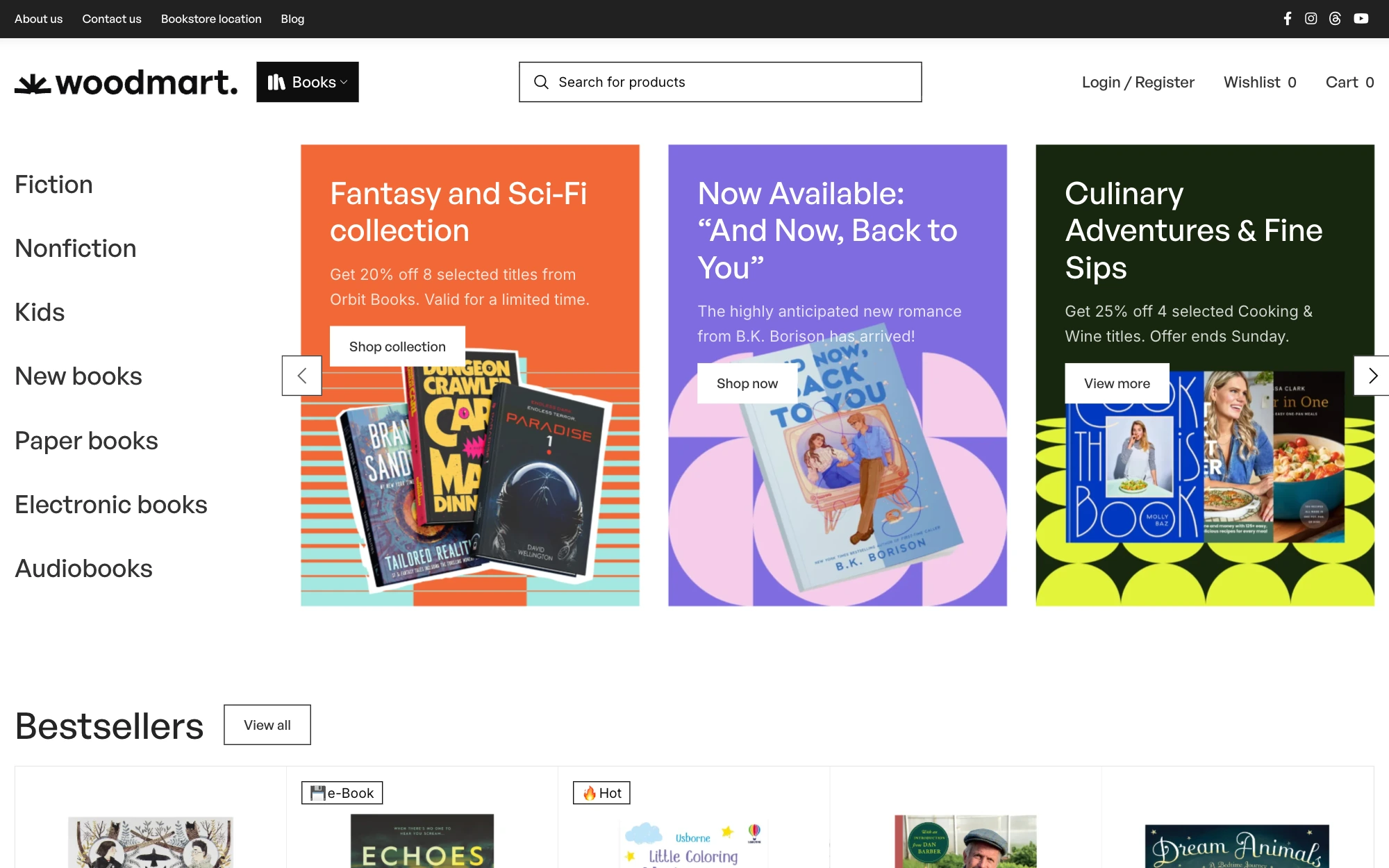
WoodMart is a WooCommerce theme by xtemos and one of the best-selling store themes on ThemeForest, with nearly 120,000 sales and a 4.91/5 rating from about 3,700 reviews. It has been on the market since 2017 and still ships updates every few weeks. Version 8.6.4 was released on October 6, 2026.
The idea behind WoodMart is simple: the features most stores end up buying as separate plugins are already inside the theme. That keeps your plugin list short and your pages consistent.
| Price | Prebuilt sites | Rating | Updates |
|---|---|---|---|
| $69 | 100+ | 4.91 / 5 | Lifetime |
Demos and design
You get 100+ prebuilt websites and 400+ premade sections. They cover furniture, electronics, fashion, food, plants, tools and many other niches. A demo imports in one click with its pages, headers, layouts and store settings, so you start from a working store rather than a blank homepage. You can also import a single page if you only like one layout.
Shop and product page features
This is where WoodMart pulls ahead of most themes on this list. Built-in, with no extra plugins:
- AJAX shop filters by price, color, brand and attribute, plus AJAX live search
- Color and image variation swatches
- Wishlist, compare and quick view
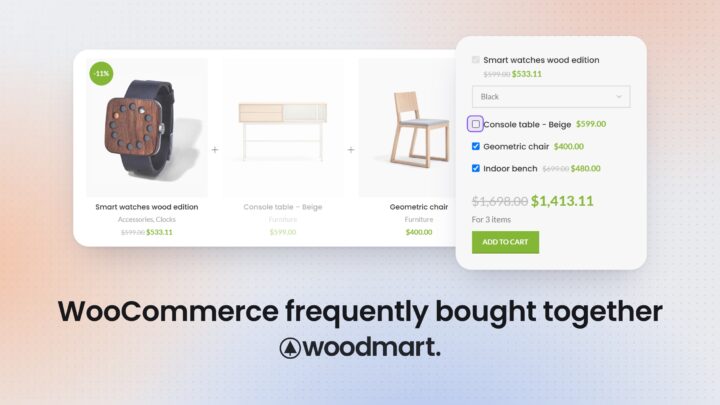
- Frequently Bought Together bundles, dynamic discounts and free gifts
- Size guides, sticky add to cart and a Buy Now button
- Free-shipping progress bar and stock countdown
- Back-in-stock waitlist, abandoned cart recovery and price tracking
- Mobile bottom navigation bar
For marketplaces, WoodMart is compatible with Dokan, WCFM, MultiVendorX, YITH Multi Vendor and WC Vendors.
Builder and customization
WoodMart works with Elementor (the free version is enough), Gutenberg and WPBakery (bundled). You choose the builder you already know.
The Layouts Builder lets you design your own single product page, shop and category archives, cart, checkout, thank-you page and My Account pages. Few themes on this list go that far. On top of that come a drag-and-drop header builder with a separate mobile header, a mega menu builder, a footer builder and a popup builder.
Performance
WoodMart loads CSS and JavaScript only for the features a page actually uses. It also includes a built-in image optimizer with WebP conversion and lazy loading, and its layouts are built with Core Web Vitals in mind. As with any theme, your final speed depends on hosting, images and plugins, but you start from a clean base.
Support and updates
A $69 regular license includes free lifetime updates and 6 months of support through the xtemos help desk, which you can extend. WoodMart is translated into 37 languages, is WPML certified and supports RTL.
Pros
- The widest set of built-in WooCommerce features on this list
- 100+ prebuilt websites across many niches
- Works with Elementor, Gutenberg and WPBakery
- Builders for product, shop, cart, checkout and account pages
- One-time price with lifetime updates
Cons
- So many options take time to learn
- Support runs 6 months unless you extend it
Best for: stores of any size that want advanced WooCommerce features without stitching together a stack of plugins, especially multi-category shops, electronics, furniture, fashion and marketplaces.
2. Purple — best official block theme for WooCommerce
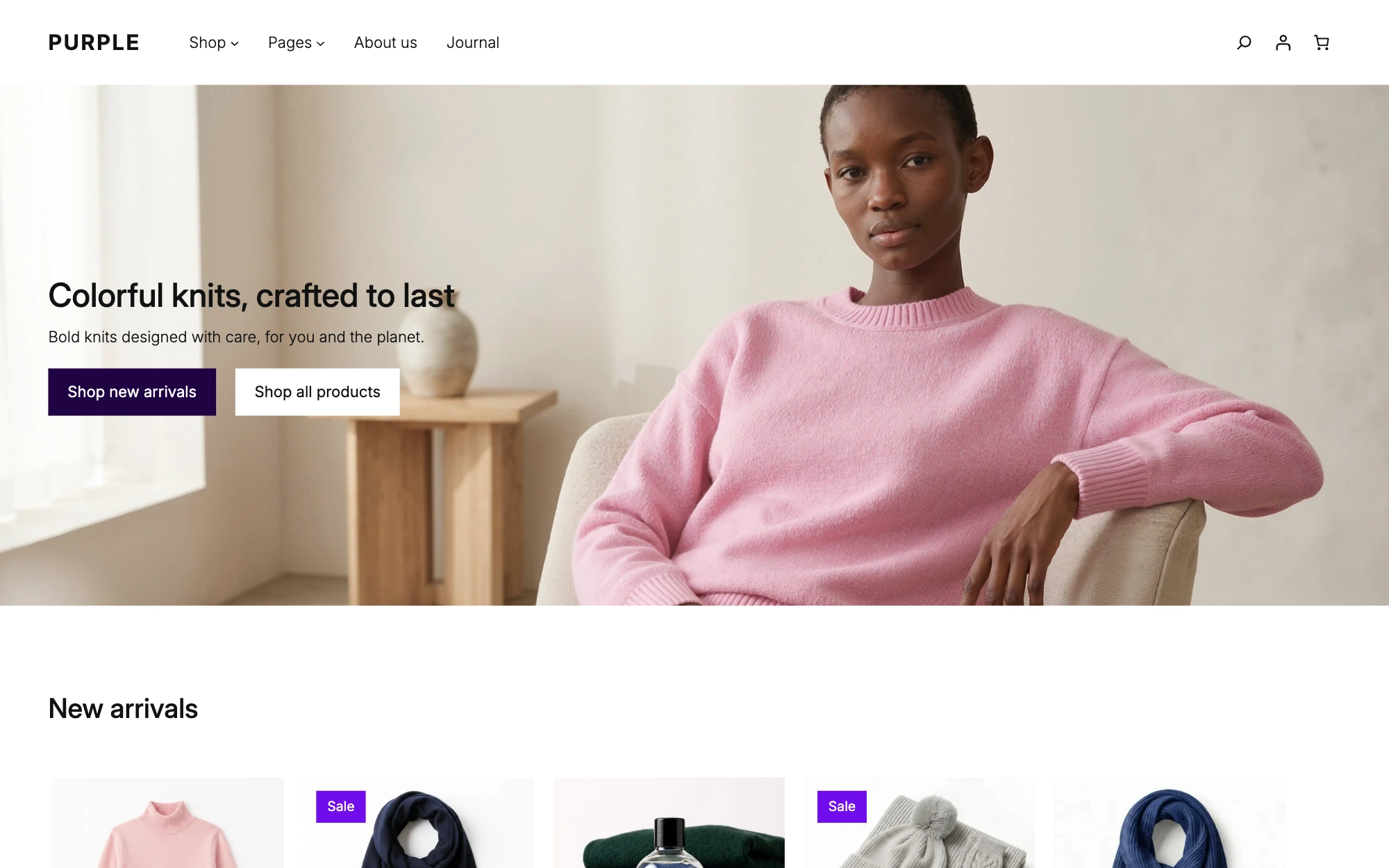
Purple is the newest theme here. It’s built by the WooCommerce team itself and is Woo’s first official block theme. It was announced for testing in September 2026 and is now available for free on the WooCommerce Marketplace (version 1.0.3 at the time of writing).
| Price | Prebuilt sites | Rating | Updates |
|---|---|---|---|
| Free | Patterns only | New in 2026 | Free |
Unlike the classic themes on this list, Purple is edited entirely in the WordPress Site Editor. The home, catalog, product, cart, checkout and order confirmation templates are all blocks, so you change them the same way you edit a page.
Key features
- Block templates for home, catalog, product, cart, checkout and order confirmation
- Mini cart and a streamlined checkout layout
- Product filters built with blocks
- 10 color palettes and 10 font pairings
- Pattern library for heroes, product grids, collections and reviews
Why Purple stands out
Because it comes from Woo, Purple is tested with official extensions such as Subscriptions, Bookings, Product Add-Ons, Product Bundles, Gift Cards, Stripe, PayPal and WooPayments. It includes 10 color palettes, 10 font pairings and a library of store patterns: hero sections, product grids, collections, reviews and calls to action.
The trade-off is the store toolkit. Purple relies on WooCommerce’s own blocks, so core shopping features such as variable products, product filters and the mini cart work out of the box. But the conversion tools that feature-rich themes include, such as quick view, product compare, size guides, a sticky add-to-cart bar, Frequently Bought Together and a free-shipping progress bar, aren’t part of the theme. You’ll need extensions for those. And as a brand-new theme, its templates and patterns may still change.
Pros
- Free and built by the WooCommerce team
- Full Site Editing, no page builder needed
- Tested with official Woo extensions
Cons
- Very new, so expect changes
- Few conversion features out of the box
- No large demo library yet
Best for: new stores and developers who want to build on WordPress’s block-based future with the official Woo stack.
3. Flatsome — best for UX Builder fans who need core store features
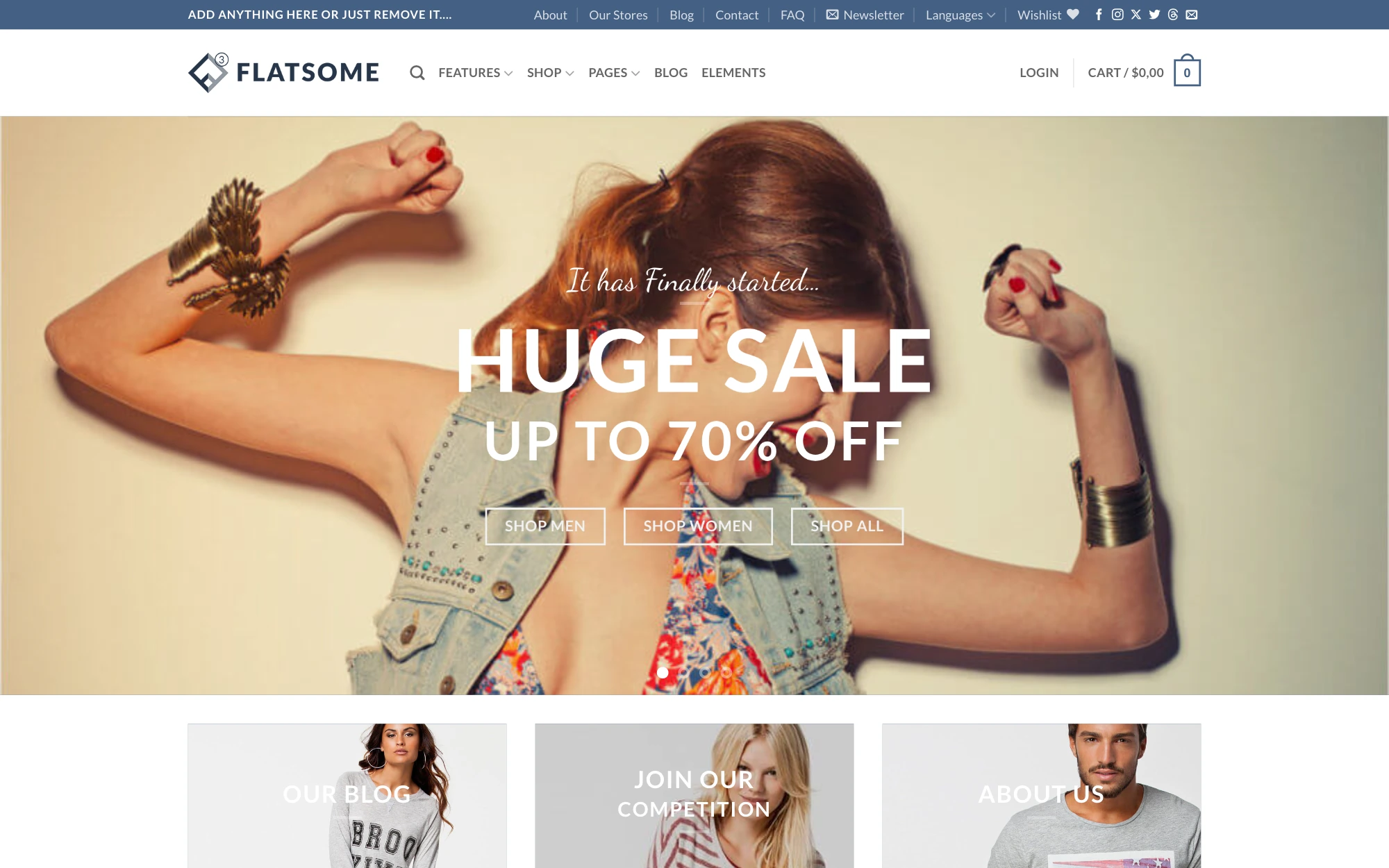
Flatsome by UX-Themes is the best-selling WooCommerce theme on ThemeForest, with more than 270,000 sales and a 4.83 rating from about 8,200 reviews. It launched in 2013 and is still updated regularly (version 3.20.11, September 2026).
| Price | Prebuilt sites | Rating | Updates |
|---|---|---|---|
| $59 | 17 | 4.83 / 5 | Lifetime |
Flatsome takes a different approach from builder-agnostic themes. Everything revolves around its own UX Builder, a visual editor built directly into the theme with 34 core elements. There’s no Elementor or Gutenberg workflow to choose from, so you design pages the Flatsome way.
Design and setup
You get 17 prebuilt websites, installed through the Setup Wizard, plus Flatsome Studio, a separate library of ready-made templates. Appearance settings live in Theme Options, built on the WordPress Customizer, so you see changes in real time. Functional settings sit in a separate Advanced Options panel.
Store pages work differently from regular pages. The shop archive, cart, checkout and My Account layouts are set up in Theme Options, not in UX Builder, so you choose from preset options rather than building them visually.
Key features
- UX Builder with 34 core elements and live preview
- Flatsome Studio template library
- Real-time styling through the Customizer
- Built-in quick view and advanced product filters
- Free-shipping progress bar
What to know before choosing Flatsome
Flatsome keeps its core lean and leaves advanced conversion tools to plugins. For wishlist, product compare, Frequently Bought Together, dynamic discounts, free gifts, back-in-stock waitlist, abandoned cart recovery and a popup builder, you’ll add third-party extensions, each with its own license, settings and updates.
Performance is solid, especially on desktop. For the test results, see our WoodMart vs Flatsome comparison.
Pros
- Huge user base and an active Facebook community
- Simple visual editing with UX Builder
- Real-time styling through the Customizer
- Built-in quick view, filters and free-shipping bar
- Low one-time price
Cons
- Most advanced store features require third-party plugins
- Store page layouts can’t be built in UX Builder
- 17 prebuilt websites
Best for: store owners who already work with UX Builder and need core WooCommerce functionality, and who don’t mind adding plugins for advanced features.
4. Blocksy — best for Customizer fans with simple catalogs
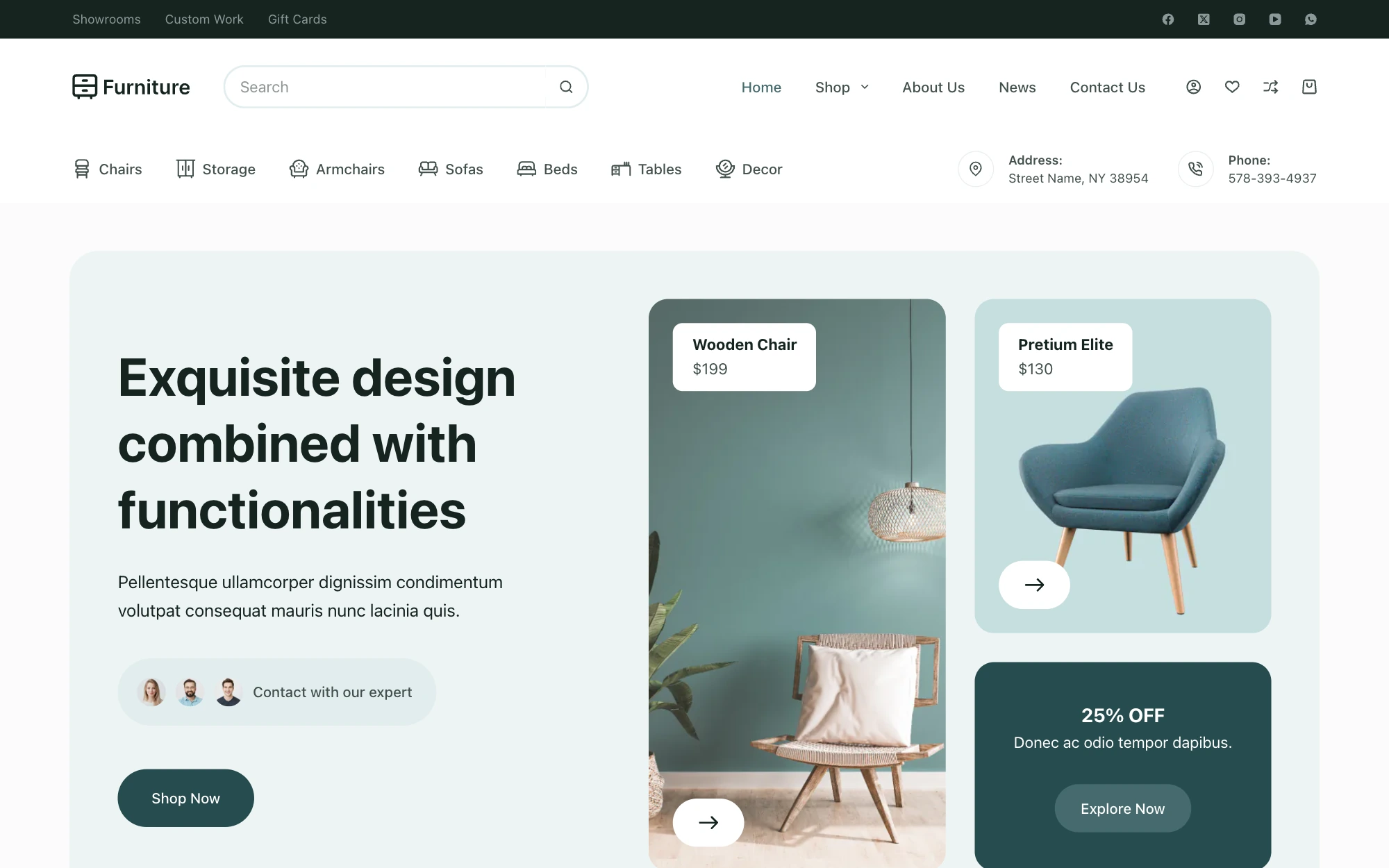
Blocksy by Creative Themes is one of the most popular themes on WordPress.org, with 300,000+ active installs and a 5/5 rating from 873 reviews. The core theme is free, but for a store it works more like a premium theme. Its WooCommerce features live in the Shop Extra extension, which comes only with the Blocksy Pro Business plan at $99/year (or $299 lifetime, 10 sites) and the Agency plan. The $69 Personal plan doesn’t include it.
| Price | Prebuilt sites | Rating | Updates |
|---|---|---|---|
| $99/yr | 45 (14 stores) | 5.0 / 5 | Yearly or lifetime |
Design and setup
Blocksy offers 45 starter sites, 14 of them WooCommerce stores such as Furniture, Gadgets, Cosmetic and Modern Shop. Thirteen starter sites require a paid plan. Most come in Gutenberg and Elementor versions, and some are available for Brizy. Beaver Builder is supported too.
For Gutenberg, Blocksy relies on the third-party GreenShift plugin to provide its blocks. Every Gutenberg version of a starter site works only with GreenShift installed, so your page layouts depend on that plugin.
Everything is set up in the WordPress Customizer, including the header and footer builders, so you see design changes in real time. Shop and product pages are configured there as well. With Blocksy Pro’s Content Blocks you can add sections through hooks or replace single and archive templates.
Key features (Shop Extra, Business plan and up)
- Quick view, wishlist and compare
- Variation swatches
- Advanced product filters
- Free-shipping bar and size guide
- Back-in-stock waitlist and cart reserved timer
What to know before choosing Blocksy
Blocksy covers the essentials and leaves the more advanced sales tools to plugins. For a cart and checkout builder, Frequently Bought Together, dynamic discounts, free gifts, estimated delivery dates and abandoned cart recovery, you’ll need third-party extensions. There’s no dedicated cart or checkout template, and store modules are switched on under Blocksy › Extensions but configured in the Customizer.
Pages are lightweight, with few requests and a small page weight. For the test results, see our WoodMart vs Blocksy comparison.
Pros
- Free core theme with live editing in the Customizer
- Works with Gutenberg, Elementor, Brizy and Beaver Builder
- Lightweight pages
- Agency plan suits teams building many small sites
Cons
- WooCommerce features require the $99/yr Business plan
- Advanced store features need third-party plugins
- No dedicated cart or checkout template
- Gutenberg starter sites require the GreenShift plugin
Best for: stores with a simple catalog that don’t need bundles, discount rules or a custom checkout, and agencies building many small sites in the Customizer.
5. Savoy — best for minimalist fashion and design stores
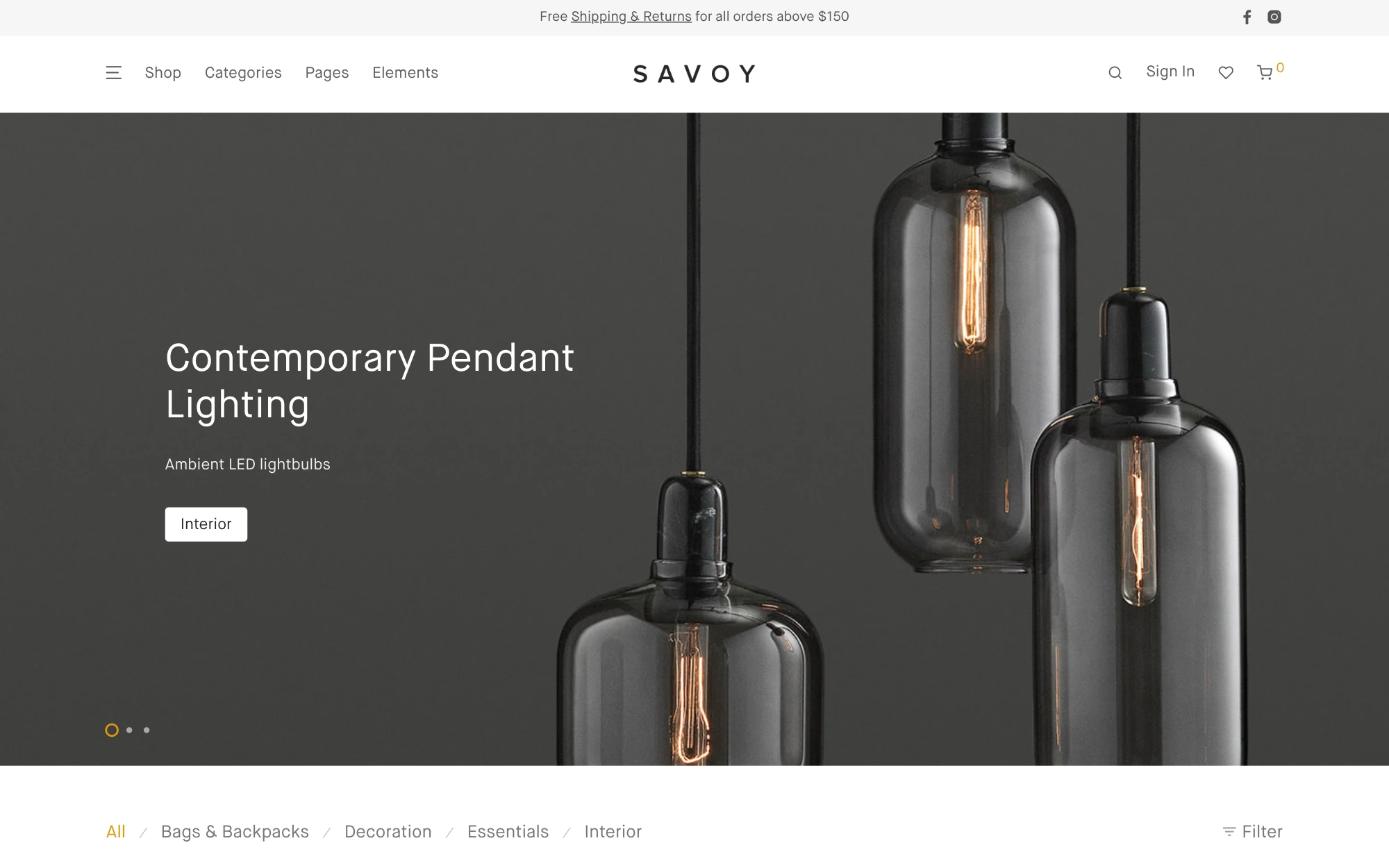
Savoy by NordicMade is a minimalist, AJAX-driven WooCommerce theme with about 16,800 sales and a 4.82 rating from 579 reviews. It has been around since 2015 and was last updated in October 2026.
| Price | Prebuilt sites | Rating | Updates |
|---|---|---|---|
| $79 | 1-click demo | 4.82 / 5 | Lifetime |
Almost everything in Savoy happens without a page reload: add to cart, search, category switching and filtering. Add a slide-out cart, infinite loading, quick view, swatch filters and a full-screen product gallery, and you get a smooth, boutique shopping feel. It works with Elementor and WPBakery.
Key features
- AJAX add to cart, search and filtering
- Slide-out cart with quantity controls
- Infinite loading on shop pages
- Full-screen product gallery with zoom
- Several header layouts and catalog mode
What to consider
Savoy does one look very well, and only that look. It doesn’t have a header builder, compare or bundle features, and at $79 it’s the most expensive one-time license on this list.
Pros
- Elegant, minimal design
- AJAX shopping throughout
- Great for visual, small catalogs
Cons
- Narrow design range
- Smaller feature set
- Smaller user base
Best for: fashion, design and boutique brands with small catalogs and a minimalist aesthetic.
What to look for in a WooCommerce theme
Whichever theme you shortlist, check these points before you buy.
Speed
Look for a theme that loads scripts only where they’re used and supports lazy loading and modern image formats. Test the demo on mobile with PageSpeed Insights, but remember a demo is a best case. WoodMart, for example, loads feature assets per page and converts images to WebP out of the box.
Mobile shopping experience
Most store traffic is mobile. Check the mobile header, filters, product gallery and checkout on a real phone. A sticky add-to-cart button and a bottom navigation bar make a noticeable difference on small screens.
WooCommerce-specific features
Filters, swatches, quick view, wishlist and compare are standard expectations now. Count how many of them the theme includes and how many you’d need to buy as plugins. Every extra plugin is another license, another update and another chance of conflicts.
Builder compatibility
If your team already works in Elementor or Gutenberg, choose a theme that supports it. Proprietary builders are fine until you want to switch themes.
SEO foundations
Clean HTML, proper heading structure, schema-friendly product pages and fast loading all help your products rank. Make sure the theme works well with your SEO plugin.
Support and update frequency
Check the last update date and changelog. A store theme that hasn’t been updated in months will fall behind WooCommerce and WordPress releases. Also check what the license includes after year one.
How to choose the right WooCommerce theme for your store
The best theme depends on what you sell, how many products you have and who will run the store. Here’s how the five themes map to common situations.
You have a large or growing catalog
Hundreds or thousands of products need strong navigation: AJAX filters by attribute, live search, a mega menu and fast category pages. You’ll also want control over product and shop page layouts as the catalog changes. WoodMart covers all of this in the theme. Flatsome and Blocksy Pro can get close, but with more plugins.
You’re building a marketplace
Multivendor stores need a theme that plays well with plugins like Dokan or WCFM, including vendor pages and dashboards. WoodMart is compatible with Dokan, WCFM, MultiVendorX, YITH Multi Vendor and WC Vendors. Blocksy also lists Dokan compatibility.
You run a small store or sell one product line
If you have a few dozen products, you don’t need every feature. A clean, fast theme with a good product page and a smooth checkout is enough. Savoy fits here if design comes first, Blocksy if you like working in the Customizer, and Purple if you want a free start.
You want to stay close to core WordPress
If your team prefers the Site Editor and wants as few third-party layers as possible, Purple is the most WordPress-native option on this list. Plan to add extensions for features like quick view, compare and size guides.
Test a theme with real products before you decide
A demo is built with perfect images and a curated product set. Before committing, run a quick test with your own data:
- Import the demo closest to your niche on a staging site.
- Add 20 to 50 of your real products, including variable products.
- Set up the filters your shoppers actually use, such as size, color, brand or specs.
- Check how swatches look with your real attribute names and images.
- Open the shop, a product page, the cart and checkout on a phone.
- Run PageSpeed Insights on a product page, not just the homepage.
- Edit the header, the product page layout and the footer to see how long changes take.
- List every plugin you had to add to get the store working.
- Read the changelog and the support terms that come with the license.
The theme that needs the fewest extra plugins and the least custom work for your catalog is usually the right one.
Free vs premium WooCommerce themes
Purple is the only fully free option on this list and a good way to launch a simple store with no upfront cost. Blocksy has a free core theme, but its WooCommerce features sit in the $99/year Business plan.
Premium themes like WoodMart, Flatsome and Savoy cost more upfront but usually include far more out of the box. WoodMart and Flatsome sell a one-time license with lifetime updates, so you don’t pay again every year.
A simple rule: if you’ll need filters, swatches, wishlist and compare anyway, compare the theme price against the plugins you’d otherwise buy. That’s usually where a feature-rich premium theme pays for itself.
Final thoughts: which is the best WooCommerce theme?
There’s no single best WooCommerce theme for every store, but there is a best fit for most:
- WoodMart if you want the most complete store toolkit and the widest choice of prebuilt websites
- Purple if you want an official, free block theme
- Flatsome if you already work with UX Builder and need core store features
- Blocksy if you like working in the Customizer and run a simple catalog
- Savoy for a minimalist boutique look
If you’re building a store you expect to grow, WoodMart gives you the most room. You can start with a prebuilt website today and add filters, bundles, discounts and custom checkout layouts later without changing themes or adding plugins.
FAQ
What is the best WooCommerce theme?
For most stores, WoodMart is the best WooCommerce theme in 2026. It includes AJAX filters, swatches, wishlist, compare, Frequently Bought Together and custom checkout layouts without extra plugins. It also offers 100+ prebuilt websites and works with Elementor, Gutenberg and WPBakery for a one-time $69 license.
What is the best free WooCommerce theme?
Purple is the best fully free option, an official block theme from the WooCommerce team. Blocksy also has a free core theme, but its WooCommerce features start with the $99/year Business plan.
Do all WordPress themes work with WooCommerce?
Most modern WordPress themes display WooCommerce pages, but not all are designed for them. Dedicated WooCommerce themes add styled shop and product templates, plus features like filters, swatches, quick view and a mini cart. A generic theme usually needs several extra plugins to match that.
Which WooCommerce theme is the fastest?
Lightweight themes such as Blocksy keep page weight low. Feature-rich themes like WoodMart stay fast by loading assets only where they’re used. Real speed depends more on your hosting, images and plugins than on the theme alone.
Is WoodMart good for large stores?
Yes. WoodMart was built for large and multi-category catalogs. AJAX filters, live search, a mega menu builder and a mobile bottom bar help shoppers find products quickly. It also works with major multivendor plugins such as Dokan and WCFM.
Can I switch WooCommerce themes without losing products?
Yes. Products, orders and customers are stored by WooCommerce, not the theme, so they stay when you switch. What can change is layout: widgets, menus and pages built with a theme-specific builder may need to be rebuilt. Test the switch on a staging site first.
 Serg Sokhatskyi